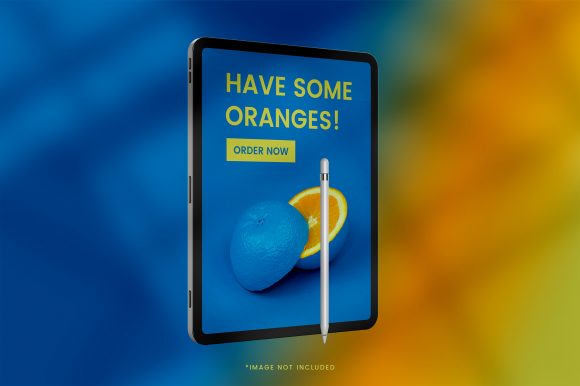
iPad Mockup with Background: A Practical Guide
When you need to present an app design, a digital portfolio, or a marketing concept, an iPad mockup with background can transform a flat screen capture into something that feels real, polished, and ready for the world. Instead of showing a bare screenshot floating in white space, you place your work inside a realistic iPad frame set against a carefully chosen scene. This simple shift changes how people perceive your content, making it look more professional, intentional, and trustworthy.
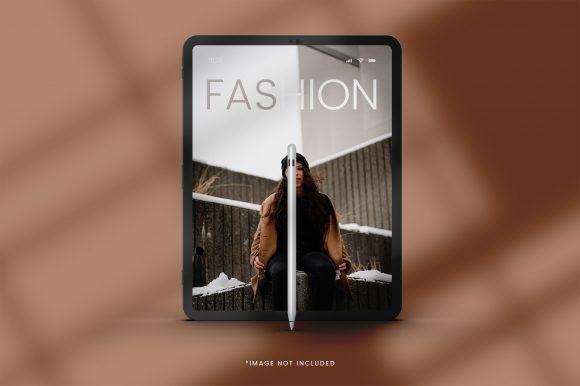
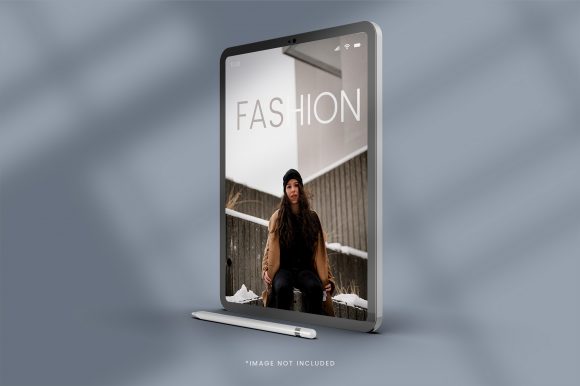
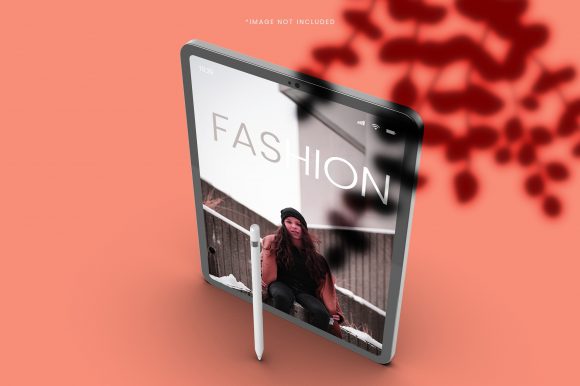
In practical terms, an iPad mockup with background is a pre-made template or a flexible design file that combines a realistic iPad device outline with a background setting. Think of a mocked-up home screen surrounded by a cozy desk setup, a sleek coffee shop table, or a clean minimalist workspace. The iPad itself is typically a placeholder where you drop your own image, video, or interface design. The background adds context, mood, and visual interest without distracting from the main content. You can find these mockups as layered Photoshop (PSD) files, in tools like Figma or Canva, or as ready-to-use templates on various design marketplaces.
What makes this approach so appealing is its ability to bridge the gap between a raw design and a finished presentation. A plain screenshot often looks incomplete. It lacks scale, environment, and a sense of real-world use. An iPad mockup with background solves that by placing your design into a scene that suggests how someone might actually interact with it. The viewer immediately imagines holding the device, swiping through the interface, or using the app during a morning routine. That emotional connection is hard to achieve with a flat image alone.
Why People Turn to iPad Mockups with Background
Understanding the motivation behind using these mockups helps you decide whether they fit your own workflow. For many, the primary goal is better presentation. Whether you are a designer showing a client a mobile interface, an entrepreneur pitching a new app idea, or a blogger sharing a digital product, the way you display your work influences how it is received. An iPad mockup with background signals that you care about details, that your work is polished, and that you have considered the user experience beyond just the screen.
Another common reason is time efficiency. Building a realistic scene from scratch, with proper lighting, shadows, and perspective, takes considerable skill and effort. Pre-made mockups offer a shortcut. You simply insert your design into the placeholder and adjust a few elements, and within minutes you have a convincing final image. This is especially valuable for freelancers and small business owners who need to produce marketing materials quickly without hiring a professional photographer or 3D artist.
Consistency also matters. If you are creating a series of social media posts, portfolio pieces, or product mockups for an online store, using the same iPad mockup with background across your visuals creates a cohesive look. Your audience starts to recognize your style, and your brand feels more established. This is harder to achieve with random screenshots or varied presentation formats.
Finally, there is the sheer versatility of these mockups. They work for everything from app previews and website demos to ebook covers, digital art displays, and even video presentations. Because the iPad is a familiar device, people instinctively understand its scale and purpose. That familiarity reduces the mental effort required to process your content and lets them focus on what matters: your design.
Where iPad Mockups with Background Shine in Real Life
The practical uses for an iPad mockup with background are broader than you might initially think. Let me walk through a few realistic scenarios that illustrate their value across different contexts.
For designers and creative professionals. Imagine you have just finished a new dashboard layout for a productivity app. Instead of sending a flat screenshot to your client, you place it inside an iPad mockup set on a bright desk with a notebook and a cup of coffee beside it. The client sees the design in a natural context, which helps them envision how users might interact with it daily. You can also include multiple mockups showing different screens or user flows, creating a narrative around the app experience. This approach works equally well for portfolio websites, Dribbble shots, or Behance projects where visual storytelling can make the difference between a casual glance and a serious inquiry.
For marketers and small business owners. If you sell a digital product like an online course, a membership site, or a subscription service, you need visuals that communicate value quickly. An iPad mockup with background showing your course interface on a screen, placed on a library table or a home office desk, instantly suggests education, focus, and professionalism. You can use this image on your sales page, in email campaigns, or as a social media post. The background helps set the mood. A warm, cozy scene might appeal to lifestyle audiences, while a clean, minimal desk works better for business or tech-oriented buyers.
For educators and trainers. Teachers creating instructional materials or online modules can use iPad mockups to show exactly how an app or digital resource functions. Instead of describing where a button is located, you can display the screen in a realistic setting and annotate it. This is especially helpful for tutorials, user guides, and course previews. The background can be neutral so the focus stays on the content, or it can reflect the intended learning environment, such as a classroom desk or a student study area.
For bloggers and content creators. Many bloggers review apps, digital tools, or creative resources. Placing a screenshot inside an iPad mockup with background makes the review visually appealing and more engaging. It also adds a layer of professionalism that can help build trust with readers. If you are creating a comparison post between two note-taking apps, for instance, showing each interface inside a well-staged mockup helps readers see the differences in context rather than comparing raw images side by side.
For entrepreneurs pitching ideas. If you are preparing a pitch deck or a funding proposal, visuals matter. An iPad mockup with background showing your app in a realistic use case, such as someone checking inventory on a warehouse floor or tracking fitness goals at the gym, communicates your vision clearly. Investors and partners can imagine the product in action, which is far more persuasive than a list of features or a schematic diagram.
Important Factors to Consider Before Choosing an iPad Mockup with Background
Not every mockup will serve your needs equally. A few key considerations can help you select the right one and avoid common pitfalls.
Resolution and file quality. Always check the resolution of the mockup before you commit. If you plan to use the final image on a website, social media, or print materials, you need a file that scales well without looking pixelated or blurry. Most quality mockups come in high resolution, but it is worth verifying, especially if you grab a free template from an unknown source. A blurry mockup can undermine the professionalism you are trying to project.
Ease of customization. Some mockups are incredibly easy to use, with smart object layers in Photoshop that let you insert your design with a double-click. Others might require more manual adjustment, such as aligning perspective or color matching. If you are not comfortable with design software, look for mockups that are described as beginner-friendly. Many online tools like Canva or Placeit offer drag-and-drop functionality where you upload your image and the mockup is generated automatically. These are great for non-designers who still want a polished result.
Background versatility. The background should enhance your content, not overpower it. Consider whether the scene matches your brand tone and the message you want to send. A busy, cluttered background might distract from your app design, while an overly plain one might defeat the purpose of using a mockup in the first place. Look for mockups with subtle, well-composed backgrounds that leave room for your screen content to breathe. Neutral desks, soft lighting, and muted color palettes tend to work well across many contexts.
Licensing and usage rights. This is an easy one to overlook. Free mockups may come with restrictions, especially for commercial use. Some require attribution, others limit the number of copies you can distribute, and some are only allowed for personal projects. Always read the license terms before using a mockup in client work, marketing materials, or any revenue-generating activity. Paid mockups from reputable marketplaces usually offer clear commercial licenses, which saves you headaches later.
Device proportions and orientation. iPads come in different sizes and aspect ratios. Make sure the mockup you choose matches the dimensions of your content. For example, if you are designing an app that is optimized for the iPad Pro, using a mockup of an older iPad model might distort your layout or leave empty space. Similarly, consider whether you want portrait or landscape orientation, as each suits different types of content. Reading materials, documents, and many apps work well in portrait, while videos, presentations, and games often look better in landscape.
Realism vs. stylization. Some mockups aim for photorealism, with detailed shadows, reflections, and lighting. Others take a more stylized or flat approach. Your choice should align with your overall visual brand and the impression you want to create. Photorealistic mockups can feel more premium and tangible, while stylized ones might suit a modern, minimalist, or playful brand. Both can be effective, but mixing them inconsistently across your materials can look disjointed.
Making the Most of Your iPad Mockup with Background
Once you have chosen a mockup, a few practical tips can help you get the best result. Start by cropping or resizing your design to fit the iPad screen area exactly. Even a small misalignment can break the illusion. If your design has rounded corners, match them to the iPad mockup, or use a mask to achieve a seamless blend. Pay attention to the lighting in the background scene. If the mockup shows light coming from the left, your screen design might look more natural if it has a subtle highlight or shadow on the corresponding side. This level of detail is not always necessary, but it can elevate your final image.
Consider creating a small library of go-to mockups that you reuse and adapt. This saves time and keeps your visual identity consistent. For example, you might have one mockup for social media posts, another for your portfolio, and a third for client presentations. Keep the backgrounds distinct enough to avoid monotony, but similar enough that your brand feels coherent. Over time, you will develop a sense of which backgrounds work best for different types of content.
Another overlooked aspect is file format. When you export your final mockup image, PNG is usually the best choice because it preserves transparency and sharp details, especially if you want to place the mockup on a colored website background. JPEG is acceptable for social media and web use, but be mindful of compression artifacts that can degrade quality. Always keep a layered or editable version of your mockup file so you can update it later without starting from scratch.
Finally, remember that an iPad mockup with background is a tool, not a substitute for good design. The content inside the screen still needs to be clear, functional, and visually appealing. The mockup frames it, highlights it, and gives it context, but the core value comes from your work. Use the mockup to enhance that value, not to hide weaknesses or distract from missing details. When used thoughtfully, it can help you communicate your ideas more effectively, build trust with your audience, and present your work in a way that feels both professional and human.
Whether you are a seasoned designer or someone just starting to share digital products, exploring iPad mockups with background is a practical step toward better visual communication. Start with a simple template, try inserting a design you already have, and see how the context changes the way you perceive your own work. The results often speak for themselves.