How to Choose and Use a 100 Logistic Delivery Icons Set Without Making Common Mistakes
When you need visuals for a delivery app, a logistics dashboard, or a shipping website, a 100 logistic delivery icons set can save you days of design work. I have watched many people grab the first icon pack they find, only to realize later that half the symbols are useless, the file formats do not match their tools, or the style clashes with everything else on the page. That frustration is entirely avoidable. With a little foresight, you can pick a set that actually works for your project, your audience, and your workflow.
Why a dedicated icon set matters more than you think
Logistics and delivery communication depends on clarity. A package icon that looks like a gift box, a truck symbol that confuses a van with a lorry, or a route line that reads as a decorative squiggle can derail a user's understanding in seconds. A well-curated set of one hundred icons gives you enough variety to cover package tracking, warehouse operations, last-mile delivery, inventory management, and customer notifications without forcing you to mix mismatched styles from different sources. The real value lies not in the number of icons but in how consistently they communicate across every touchpoint.
When you rely on generic clip art or an assortment of free icons pulled from different websites, your interface or presentation starts to feel disjointed. Users may not consciously notice why something looks off, but they will sense the lack of cohesion. A unified set eliminates that problem from the start.
Mistake one: judging an icon set only by its preview images
Preview images are designed to impress. They show the most attractive icons at the largest size against a clean background. What you do not see is how those icons behave when scaled down to 16 pixels, placed on a colored button, or displayed next to long text labels. I have seen people choose a set based on a beautiful preview only to discover that the delivery van icon loses all its detail when resized for a mobile footer, or that the "tracking" icon looks like a messy blob at smaller sizes.
What to check instead: Download a sample or look at the set's test page if available. Open a few icons in your design tool and resize them to the dimensions you actually need. Pay attention to stroke thickness and whether it remains visible at small scales. If the set uses fine lines or intricate details, ask yourself whether those details survive at 24 by 24 pixels. For logistics dashboards and delivery apps, clarity at small sizes is non-negotiable because users often scan lists and tables quickly.
Mistake two: ignoring file formats and compatibility
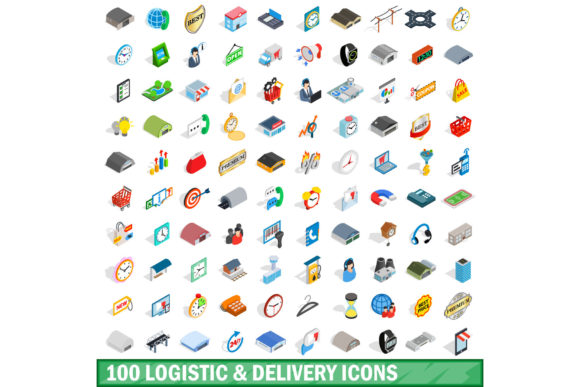
A 100 logistic delivery icons set might come in SVG, PNG, EPS, WebP, or a mix of formats. Beginners often assume all formats are interchangeable, but that assumption leads to lost time and rework. If you are building a website and you only receive PNG files, you lose the ability to change colors, adjust stroke width, or scale icons without pixelation. If you are designing a printed manual and you only receive SVG, you might struggle to open them in a layout program that does not handle vector files well.
Better approach: Before you purchase or download, confirm that the set includes the format you need for your primary use case. For digital products, SVG is usually the safest choice because it scales infinitely and stays editable. For print, EPS or AI files work well. If you work in Figma, Sketch, or Adobe XD, check whether the set offers a dedicated plugin or a pre-imported library. That small detail can save you hours of manual importing and resizing.
Also check whether the icons are organized in a logical folder structure. A set that groups icons by category—like "shipping," "warehouse," "tracking," "payment"—makes your workflow faster than a set that dumps all one hundred files into a single folder with numeric filenames.
Mistake three: overlooking style consistency
Consistency is the silent workhorse of good visual communication. A set that mixes outlined icons with filled icons, or combines flat symbols with those that have gradients or shadows, creates visual noise. For a logistics or delivery interface, you want users to focus on the information, not on the distracting shifts in icon style.
I once consulted for a startup that had built their entire delivery tracking dashboard using four different icon sets sourced from free repositories. The package icon had rounded corners, the truck icon was sharp and angular, and the location pin used a completely different line weight. The founder could not understand why users described the interface as "messy" even though the layout was clean. The problem was entirely in the icons.
How to avoid this: Choose a set that offers a single, coherent visual language. Look for consistent stroke weight, consistent corner rounding, and consistent proportions across all icons. If the set includes both line and filled versions of each icon, that can be a bonus for creating visual hierarchy, but make sure the underlying style stays the same. A well-made 100 logistic delivery icons set will feel like one family, not a collection of unrelated symbols.
Mistake four: assuming more icons always means better coverage
The number 100 sounds comprehensive, but not all sets cover the same concepts. One set might include forty variations of delivery trucks and only one "return" icon, while another set might offer a balanced range covering supply chain, inventory, payment, customer communication, and shipping exceptions. The size of the set matters less than how well it matches the vocabulary of your project.
Before you commit, list the specific concepts you need icons for. Common logistics categories include:
- Package states: ordered, picked, packed, shipped, in transit, out for delivery, delivered, returned, delayed
- Transport modes: truck, van, cargo ship, airplane, bicycle courier, drone
- Warehouse operations: inventory, scanning, storage, loading, sorting, quality check
- Customer touchpoints: notification, tracking number, signature, proof of delivery, customer support
- Payment and documents: invoice, receipt, insurance, COD, digital payment
Compare your list against the actual icon names in the set. If the set is missing three or four key concepts, you will end up either substituting mismatched icons or creating your own, which undermines the consistency you paid for.
Mistake five: neglecting licensing and usage rights
Licensing is one of the most overlooked details, especially among freelancers and small business owners who just want a quick visual upgrade. Some icon sets allow unlimited commercial use, others restrict you to a single project, and a few require attribution even in paid products. I have seen a logistics company receive a cease-and-desist letter because the icon set they used from a free repository was licensed only for personal use. The legal headache and rebranding cost far exceeded what they would have paid for a proper license.
What to verify: Read the license terms before you download. Look for clear language about commercial use, modification rights, redistribution, and whether you can use the icons in a product you sell. If the license mentions "attribution required," decide whether you are comfortable crediting the designer on every page or application where the icons appear. For most professional projects, a royalty-free license with no attribution is the cleanest option.
Mistake six: ignoring accessibility and cultural context
Icons are not universal. A hand gesture, a mailbox shape, or a color convention that works in one region may confuse or even offend in another. For logistics and delivery services that operate globally or serve diverse audiences, icon selection deserves extra care.
A package icon that looks like a typical cardboard box works almost everywhere, but a "fast delivery" icon that uses a running figure might not translate well in cultures where that gesture means something different. Similarly, icons that rely purely on color to convey meaning—like red for "urgent" or green for "delivered"—can fail for users with color vision deficiencies.
Practical steps: Check whether the icon set includes text labels or tooltips by default. Even if you plan to add your own labels, icons that are designed with accessibility in mind tend to have clearer silhouettes and higher contrast. If your audience is international, avoid icons that rely on culturally specific symbols like mailboxes, flags, or uniformed figures. Stick to universally understood objects: boxes, trucks, maps, checkmarks, clocks, and arrows.
Mistake seven: skipping real-world testing before deployment
Even after you choose a set, test it in the actual context where users will encounter it. An icon that looks perfect in your design file may read differently on a mobile screen under sunlight, on a printed label, or on a dashboard viewed by warehouse staff who need to make split-second decisions.
I recommend running a quick usability test with five people who match your target audience. Show them a screen or page that uses the icons without any text labels, and ask them to describe what each icon means. If more than one person misinterprets an icon, either replace it or add a label. That small test can prevent confusion that would otherwise erode trust in your service.
What to look for in a quality 100 logistic delivery icons set
By now you have a good sense of what to avoid. Here is a concise checklist for evaluating any set you are considering:
- Style coherence: All icons share the same line weight, rounding, and visual approach.
- Scalability: Icons remain clear and recognizable at sizes from 16px to 128px.
- Format availability: SVG plus at least one bitmap format, and preferably a design tool library.
- Logical naming: File names and folder organization make it easy to find what you need.
- Balanced coverage: The set covers the key logistics concepts you actually use, not just truck variations.
- Clear licensing: Commercial use allowed, no hidden restrictions or attribution requirements.
- Accessibility consideration: Icons have good contrast and avoid culturally ambiguous symbols.
- Editable strokes: If you need to adjust line thickness or color, the vector files allow it.
A set that checks most or all of these boxes will serve you well whether you are building a delivery tracking app, a logistics presentation, a shipping website, or internal operational materials.
Making the final decision
Choosing a 100 logistic delivery icons set is not about finding the largest collection or the cheapest price. It is about finding a set that fits your specific visual language, your technical environment, and the expectations of your audience. Take the time to preview icons at real sizes, verify the file formats, read the license, and test with actual users. That upfront effort pays back many times over in reduced rework, clearer communication, and a more professional result.
The right icon set will feel almost invisible—it supports your content without drawing attention to itself. When you achieve that, your logistics and delivery materials become easier to use, faster to understand, and more trustworthy. And that is the real goal behind every icon you place in front of a user.