Get the Most from a 100 Lifetime Icons Set: Common Pitfalls and Smarter Choices
When you come across a 100 Lifetime Icons Set, the offer sounds straightforward: a bundle of icons you pay for once and use indefinitely. Many beginners and even experienced creators jump at the deal, expecting a one-stop solution for all their visual needs. The reality, however, is that not all icon sets are created equal, and how you select, apply, and manage them makes the difference between a cohesive brand library and a messy collection of mismatched graphics.
This article walks through the practical decisions that affect your results. Whether you are a freelancer building a client website, a marketer refining a presentation, or a small business owner creating social media assets, understanding these details will save you time, money, and frustration.
What a 100 Lifetime Icons Set Typically Includes
Most icon sets in this category offer vector files—commonly SVG and sometimes EPS or AI—along with PNG versions in multiple sizes. The “lifetime” term usually means you get access to the set as it exists at purchase, plus any future updates the creator provides, without recurring fees. The promise of 100 icons is appealing because it covers a broad range of common concepts like arrows, devices, social media symbols, and business objects.
But here is where many people go wrong: they treat the set as a universal solution without verifying that the icons actually match their project’s style, format needs, and licensing terms.
Mistake 1: Overlooking Style Cohesion
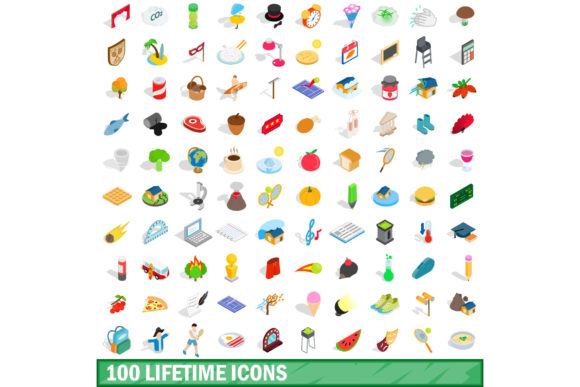
A 100 Lifetime Icons Set may contain icons designed by different artists or sourced from various contributors. You might end up with outline icons mixed with filled ones, rounded corners next to sharp edges, or stroke weights that vary dramatically. When you place these on the same page or screen, the inconsistency becomes obvious and undermines your visual message.
How this affects your work: A website or presentation that uses mismatched icon styles looks unpolished, which can reduce trust and engagement. Your audience may not consciously notice each icon, but they will sense that something feels off.
Better approach: Before purchasing, request a preview of every icon in the set. Look at how they sit together. Do they share the same line thickness? Do they use a uniform color palette? If the set claims to be “style-consistent,” confirm that all icons follow the same design rules. If you already own the set, take 15 minutes to group icons by style and use only one style per project.
Mistake 2: Misunderstanding What “Lifetime” Actually Means
The word “lifetime” is attractive, but it is not a standard legal term. Some creators define it as the lifetime of the product, not your lifetime. Others mean you have access as long as the company exists. A few offer updates forever, while others stop supporting the set after a few years.
How this affects your investment: If you rely on the set for ongoing client work and the format becomes outdated or the provider goes offline, you may lose access to updates or even the files themselves if they were only available through a hosted platform.
Better approach: Read the license agreement carefully. Look for phrases like “perpetual license” or “non-expiring access.” If the set is sold on a marketplace, check the seller’s refund and update policy. Download all files immediately after purchase and store them in your own cloud or local backup. Do not depend on a download link that might expire or a platform that could disappear.
Mistake 3: Ignoring Format and Compatibility
A common oversight is assuming every icon set works with your tools. You might buy a 100 Lifetime Icons Set only to discover the files are in a format your design software cannot import, or the PNGs are too small for your needs. Web designers often need SVG code, while print designers may prefer EPS or AI. Mobile app developers might require PDF or custom asset catalogs.
How this affects efficiency: You waste time converting files, resizing them, or hunting for equivalents. In some cases, conversion degrades quality or removes layers, forcing you to redesign icons from scratch.
Better approach: List the formats you actually use before you shop. If you work in Figma, Sketch, or Adobe XD, look for sets that offer SVG and have been tested in those environments. If you need both light and dark variants, confirm the set includes them. If you plan to edit colors or strokes, ensure the files are editable vectors, not flattened images.
Mistake 4: Judging by Quantity Alone
One hundred icons sounds like a lot, but quantity does not guarantee coverage. A set might contain 30 arrow variations and 15 envelope icons, leaving you with only 55 genuinely distinct symbols. If your project requires niche concepts like a specific type of medical device, a farm vehicle, or a custom UI element, those 100 icons may offer only a few relevant options.
How this affects your results: You end up either forcing icons to represent concepts they were not designed for, or purchasing additional sets to fill gaps. This increases cost and introduces style mismatches.
Better approach: Look at the icon list or preview carefully. Count how many icons you would actually use in your current or upcoming projects. Ask yourself whether the set covers common categories you need—such as finance, health, travel, education, or technology—or if it leans heavily into one area. If the set lacks variety, consider a larger collection or a customizable icon system instead.
Mistake 5: Skipping Customization Testing
Many buyers assume they can easily change colors, sizes, and strokes to match their brand. But not all vector icons are built the same. Some have strokes that are merged with fills, making color separation difficult. Others use compound paths that resist scaling without distortion. A few are exported with nested groups that complicate editing in web design tools.
How this affects your brand consistency: You may end up using icons that clash with your color palette or typography because you cannot adapt them properly. This weakens brand recognition and makes your materials look generic.
Better approach: Before buying, download a sample icon from the set and test it in your primary design tool. Change the stroke color, fill, and weight. Scale it up and down. If the icon behaves unpredictably or loses quality, the rest of the set will likely have the same issues. Choose a set where each icon is built with clean, organized layers and standard vector properties.
What to Check Before You Choose a 100 Lifetime Icons Set
Taking a few minutes to evaluate these aspects can prevent most of the problems described above.
- License clarity: Can you use the icons in commercial projects? Do you need to credit the creator? Is there a limit on the number of projects or products?
- File organization: Are the icons named clearly? Are they sorted by category? A well-organized set saves hours of searching.
- Update history: When was the set last updated? Does the creator regularly add icons? A set that has not been updated in years may lack modern symbols.
- Resolution options: Do the PNGs come in multiple sizes? Are the SVGs minified or clean? For web use, clean SVGs are easier to embed and style.
- Community or support: Is there a forum, documentation, or contact for help? Active support indicates the creator stands behind the product.
- Return policy: Can you get a refund if the set does not meet your needs? Many digital products are non-refundable, so a trial or sample is your best safeguard.
Making the Set Work for You
Even a well-chosen icon set requires some care in application. Create a naming convention that matches your project’s asset structure. Store icons in a shared folder so everyone on your team uses the same versions. Document any customizations you make, especially color changes, so you can apply them consistently across future projects.
If you find yourself needing icons that the set does not include, resist the urge to mix in random free icons from the web. Instead, either design your own using the set’s style guidelines or purchase a complementary pack from the same creator. Maintaining visual harmony is worth the extra effort.
Remember that a 100 Lifetime Icons Set is a tool, not a magic solution. When chosen thoughtfully and used with intention, it can become a reliable part of your creative workflow. When chosen hastily, it becomes another file folder you rarely open.
By paying attention to style consistency, license terms, format compatibility, actual coverage, and customization ease, you set yourself up for a much better outcome. The time you invest in evaluating these details upfront will pay back in smoother projects, happier clients, and a cohesive visual identity that lasts far longer than any single design job.