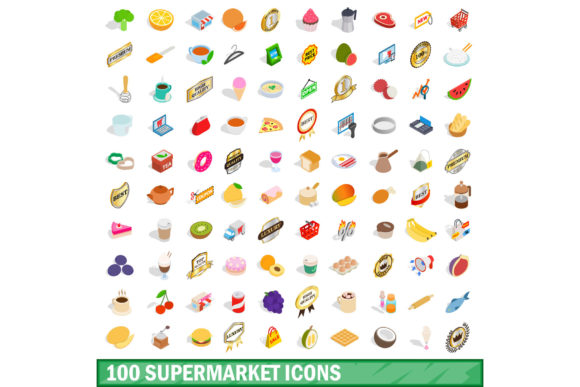
The Right Way to Use a 100 Supermarket Icons Set: Avoiding Common Design Pitfalls
Efficiency in design is about making instantaneous connections. A customer seeing a shopping cart icon knows exactly where to click. A user glancing at a produce icon immediately understands the category. This is the power of a dedicated visual library like the 100 Supermarket Icons Set. It provides a ready-made vocabulary for grocery-related projects, whether you are building a delivery app, creating a store directory, designing a shopping list blog post, or printing in-store signage.
However, owning a robust set of icons is just the first step. Professionals often find themselves frustrated not because the icons are poorly designed, but because of overlooked details in selection, licensing, and application. Let’s walk through the most common missteps and how to make sure your visual communication stays sharp, consistent, and effective.
The Trap of Visual Inconsistency
One of the most frequent and damaging mistakes is mixing icon styles from different sources. You might start with a solid outline pack from your 100 Supermarket Icons Set, then add a free icon from a design forum, then repurpose an icon from an old project. Suddenly, your app or website has a chaotic mix of thin lines, thick lines, rounded corners, sharp corners, flat colors, and 3D shading.
This inconsistency creates cognitive noise. Users may hesitate, wondering if a stylistic difference implies a functional difference. It erodes the polished, professional feel you are trying to build.
A better approach: Treat your icon set as a strict visual system. If you choose a 100 Supermarket Icons Set that offers a unified style—consistent stroke weights, matching corner radii, and a cohesive perspective—stick to it exclusively. If the set includes variations (like filled and outlined versions), use them deliberately for different states (e.g., outlined for unselected, filled for selected). Consistency builds trust and reinforces brand recognition.
Overlooking Critical Subjects in the Set
A common disappointment occurs when you buy an icon pack thinking it covers everything, only to find critical gaps for your specific project. Modern grocery environments require icons for far more than just "Milk" and "Bread."
Does the set include modern essentials like Self-Checkout, Curbside Pickup, Contactless Payment, or Pharmacy? What about dietary filters like Organic, Gluten-Free, Vegan, or Keto? These are no longer niche categories; they are primary drivers in the modern grocery experience.
Before you commit, preview the full manifest. A comprehensive 100 Supermarket Icons Set should ideally span the entire store ecosystem—from Produce, Deli, Bakery, and Seafood to Baby Care, Pet Supplies, Household, and International Foods. Look for the inclusion of specific departments like Wine & Spirits and Health & Beauty. Checking the full list saves you from the frantic, last-minute search for a matching substitute icon that invariably breaks the visual flow of your project.
Ignoring Scalability and File Formats
This is a classic technical oversight that can sabotage your final product. Downloading an icon set only to find low-resolution PNGs is a recipe for frustration.
The consequence: On a high-resolution retina display or a printed store banner, those crisp icons turn into blurry, pixelated messes. This immediately signals a lack of professionalism and reduces usability.
Check for vector formats. SVG (Scalable Vector Graphics), EPS, and AI files scale infinitely. An SVG icon can be a 16-pixel favicon or a 6-foot wall graphic without losing quality. When evaluating your 100 Supermarket Icons Set, ensure it provides SVG files for web and UI, and EPS or AI files for print. A set that offers multiple formats demonstrates the designer's understanding of real-world applications. Scalability ensures your single investment works across every future platform.
Misunderstanding the License
Licensing is perhaps the most financially dangerous oversight for entrepreneurs and small business owners. Free icons found online often come with restrictive terms. You might be required to provide attribution in your app, or the license might forbid commercial use entirely.
Imagine building a client's grocery store locator feature and receiving a cease-and-desist because the icon set was licensed for personal use only. The cost of legal trouble or having to redesign a portion of your interface far outweighs the initial savings.
Always verify the licensing agreement. A reputable 100 Supermarket Icons Set will clearly state its terms. Look for keywords like Commercial Use, Royalty-Free, or Extended License. Understand the difference between using icons in a personal blog versus a SaaS product you sell to customers. If you are a freelancer or agency, choose a set with a straightforward, permissive commercial license. It is not an unnecessary expense; it is liability protection for your business.
Poor Contextual Implementation
Even a perfect set of icons can harm the user experience if applied thoughtlessly. The context in which an icon lives matters greatly.
- Common Mistake 1: Sizing and Alignment. Placing a 48px icon next to an 11px font creates an unbalanced, jarring visual. Icons should complement the text, not overwhelm it.
Best Practice: Match the icon size to the surrounding line height. For body text, icons in the 16-24px range generally work well. For headers or primary navigation, icons can be larger (32-48px) to act as visual anchors. Ensure the icon’s baseline aligns with the text baseline. - Common Mistake 2: Misleading Metaphors. Using an icon heavily featuring a cow for the "Dairy" section, when the store stocks plant-based yogurts and cheese made from oats or almonds. The icon excludes a portion of the product range and potentially the customer.
Best Practice: Choose icons that represent the universal concept of the category. A simple glass of milk or a generic dairy carton is often more inclusive than a specific animal. Clarity should always trump cleverness. - Common Mistake 3: Overcrowding. Placing an icon next to every single item on a list. This creates visual noise and reduces the impact of the icons you do use.
Best Practice: Use icons to highlight specific actions or category headers. For a shopping list, an icon next to the category header ("Produce," "Bakery," "Frozen") helps users scan quickly. Using an icon next to every individual item ("Apples," "Bread," "Ice Cream") often creates clutter rather than clarity.
Before You Buy: A Quick Evaluation Checklist
To get the most out of your 100 Supermarket Icons Set, use this quick evaluation framework before you download or purchase.
- What is my primary platform? If you are designing for the web or app UI, prioritize SVG files for small file sizes and crisp rendering. For print, ensure EPS or AI files are included.
- Does the style match my brand? A playful, rounded icon set might be perfect for a family-friendly grocery app, but a sleek, minimalist line-art set might suit a high-end organic market better. Match the icon personality to your brand voice.
- Are the source files editable? If you are a designer, having access to the original vector source files (Figma, Sketch, or AI) allows you to easily change colors, flip elements, or adjust details to perfectly match your palette.
- Is the set truly comprehensive? Does the "100" number represent 100 genuinely useful and distinct supermarket elements, or are there multiple variations of the same concept? A well-curated set covers the breadth of the grocery experience.
The Value of a Curated Visual Vocabulary
Icons are the silent guides of your digital and physical spaces. They help customers navigate, make choices, and feel confident in their actions. A well-chosen 100 Supermarket Icons Set is an investment in the clarity and professionalism of your entire project.
By actively avoiding the common traps of visual inconsistency, incomplete subject coverage, poor scaling, licensing confusion, and thoughtless placement, you elevate your work from a collection of graphics to a cohesive communication system. Take the time to review the set's contents, understand its technical specifications, and plan your layout intentionally. Your users will notice the difference, and your design will function better for it.