Maritime Icons Set: Creative Uses & Ideas
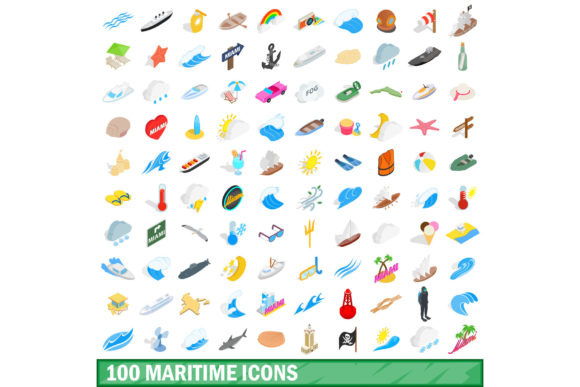
A strong visual language can transform a project from ordinary to memorable. The 100 Maritime Icons Set offers a ready‑made library of sea‑inspired graphics that saves time while adding instant personality. Whether you design branding for a coastal café, build an educational app about ocean life, or craft social media content for a travel blog, this collection provides the building blocks you need. The icons cover everything from ships and lighthouses to anchors, waves, sea creatures, and navigational tools. Each symbol is clean, scalable, and easy to adapt. But the real value lies in how you use them.
What Makes This Set Stand Out
A hundred icons might sound like a lot, but each one fills a specific niche. You get classic maritime motifs – a compass rose, a schooner, a pelican – alongside more unusual elements like a diving helmet, a cargo crane, or a weather vane. This variety means you can build cohesive designs without sourcing extra illustrations. The icons typically come in multiple formats (SVG, PNG, EPS) and are designed on a consistent grid, so they sit well together even when mixed and matched.
Because the set is vector‑based, you can resize every icon without losing quality. That flexibility matters whether you are printing a large poster or placing a tiny social media badge. You can also recolour the icons to match your brand palette, apply textures, or combine them into custom compositions. For creative professionals, this reduces the gap between concept and final output.
Designers and Brand Creators
When building a brand identity, consistency is everything. The 100 Maritime Icons Set provides a unified style that can anchor a whole visual system. Use a lighthouse icon as a logo mark, then repeat the line weight and corner rounding across website icons, business cards, and packaging. For a seafood restaurant chain, you might select a fish, a fork, and a wave, then combine them into a custom emblem. The set also works well for infographics – imagine a map of shipping routes where each port is marked with a matching anchor icon.
Marketers and Content Creators
Social media posts need to stop the scroll. A plain text announcement about a beach cleanup event can be lifted by adding a single, well‑placed icon. Insert a dolphin next to a statistic about marine conservation, or use a storm cloud icon to illustrate a weather forecast for a travel blog. The icons can also become thumbnails for videos, bullet points in email newsletters, or visual separators in long‑form articles. Because the set is large, you never need to reuse the same icon twice in a campaign – that keeps your content fresh.
Educators and Hobbyists
Teachers and homeschoolers can turn the icons into learning tools. Print flashcards with a boat, a whale, and a buoy to help young children build vocabulary. Create a simple matching game: match the sea creature to its name, or the knot type to its purpose. For older students, use the icons to illustrate a timeline of maritime exploration – a caravel for the Age of Discovery, a steam ship for the Industrial Revolution, a container ship for modern trade. The icons make abstract concepts visible without requiring advanced drawing skills.
Event Branding and Invitations
Planning a nautical‑themed wedding, a regatta, or a coastal festival? The icons can form the backbone of your visual identity. Use a wave pattern as a background texture, place a lighthouse icon on the save‑the‑date card, and repeat a small anchor on the menu cards. For digital invitations, animate a few icons – a sailing boat gliding across the screen – to add motion without overwhelming the viewer. The consistent style ensures everything feels like part of one collection.
Product Packaging and Labels
Small food businesses, especially those selling seafood, sauces, or artisanal sea salt, can use maritime icons to reinforce their story. A tin of smoked mackerel could feature a fish icon alongside a small anchor to suggest quality and tradition. A bottle of beach‑themed craft beer might use a wave and a starfish on the label. Because the icons are simple, they print cleanly even on small surfaces like jar lids or bottle caps. You can also vary the colours to match seasonal releases – bright blue for summer, deep navy for winter.
Website and App Interfaces
Navigation bars, onboarding screens, and dashboard icons benefit from a cohesive set. If you run a sailing school’s website, use a ship icon for “courses,” a life ring for “safety,” and a compass for “locations.” The uniformity of the set prevents visual noise. For an app that tracks marine data, icons can represent different data points – temperature (sun), wind speed (wind sock), tide levels (wave). Users learn the visual language quickly because each icon is distinct and drawn in a similar style.
Keeping Results Clear and Organised
With a hundred icons at your fingertips, it is tempting to use too many at once. Resist that urge. Choose two or three icons as primary symbols and repeat them consistently across your project. Use the remaining icons as secondary accents or for specific sections. When building a presentation or a report, group related icons together – all nautical instruments in one row, all wildlife in another. This hierarchy helps viewers scan content without feeling overwhelmed.
Colour is another tool for clarity. Start with a monochromatic version of the icons (black or dark blue on white) for maximum legibility. Then introduce one accent colour for highlights – perhaps coral orange for calls to action or sky blue for backgrounds. If you are working on a digital product, test the icons at small sizes; sometimes details like lines on a ship’s hull become muddy. In that case, simplify by using the icon in its most recognisable silhouette form.
Adapting the Icons to Different Platforms
Each platform has its own constraints, but the vector nature of the set makes adaptation straightforward. For print, export icons at 300 DPI and pay attention to stroke widths – a 2‑point line might look delicate on a business card but fine on a poster. For web, use SVG directly so icons stay crisp on retina screens. For social media graphics, resize icons to fit standard templates (1080×1080 for Instagram, 1200×628 for Facebook link shares). If you need a favicon, scale an anchor or a wheel down to 16×16 pixels and adjust the design to keep only the essential shape.
The set also works well in motion. Export each icon as a separate layer in After Effects or a similar tool, then animate them with simple transitions – a boat bobbing, a compass needle rotating, a wave sliding. These small movements add polish to video intros, landing pages, or presentation slides without requiring complex illustration skills.
Staying Original While Using a Pre‑Made Set
Using an icon set does not mean losing originality. The key is customisation. Combine two or three icons to create a new symbol – for example, place a star inside a lighthouse beam to represent a “beacon of quality” badge for a product review site. Change the colour gradient of an anchor from solid blue to a gradient that fades into sand. Add a subtle drop shadow or a hand‑drawn outline to make the icons feel more bespoke. You can also flip, rotate, or overlap icons to generate fresh compositions.
Another way to stand out is to pair the icons with a strong typographic system. The clean, modern lines of a sans‑serif font complement the simple iconography. For a more traditional feel, use a serif font with an antique navigation chart aesthetic. The icons themselves do not date quickly because they depict classic maritime subjects – they feel timeless when combined with thoughtful spacing and layout.
Practical Tips for Different Users
- Freelancers and designers: Keep the set in your toolkit for quick mock‑ups. When a client asks for a nautical theme, you can show three distinct directions in minutes by rearranging the same icons.
- Small business owners: Use one or two icons consistently across your website, social media, and packaging. Over time, customers associate those symbols with your brand.
- Bloggers and publishers: Insert icons as visual breaks in long articles. A small anchor between sections can guide readers through a travel itinerary or a historical piece.
- Educators: Print the icons on card stock and laminate them for reusable classroom activities. Let students sort icons by category (boats, animals, weather) or build a treasure map using compass and island icons.
- Hobbyists: Use the icons in digital scrapbooking, bullet journal headers, or custom stickers for your gear. The lightweight SVGs are easy to import into cricut‑type cutting machines.
The 100 Maritime Icons Set is not just a collection of graphics – it is a flexible resource that adapts to your project’s needs. Whether you need a single icon for a tiny button or a full library to build an entire brand, the set gives you a consistent foundation. By thinking about your audience, your platform, and the story you want to tell, you can turn these ready‑made elements into something that feels fresh, purposeful, and entirely your own.