100 Headway Icons Set: Creative Ideas and Practical Uses
What Makes the 100 Headway Icons Set Stand Out
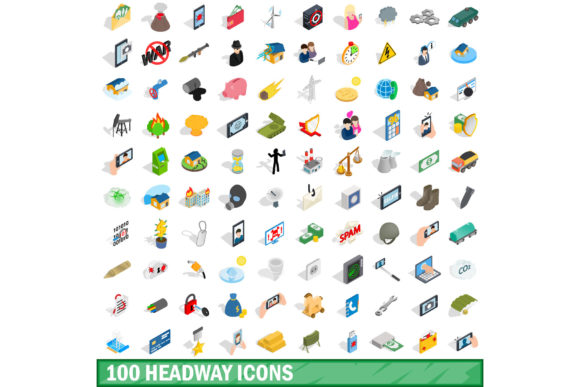
The 100 Headway Icons Set offers a cohesive visual language built around progress, learning, growth, and forward momentum. Each icon in this collection follows a consistent line-weight style, making it suitable for modern interfaces, presentations, and brand communications. Unlike generic icon packs, this set focuses on concepts related to personal development, productivity, and achievement, which gives it a distinct thematic direction.
What makes these icons particularly valuable is their clarity. The simplified forms communicate ideas quickly without relying on excessive detail. This visual economy works well across digital and print formats, from mobile screens to wall posters. The set includes symbols for goal-setting, habit tracking, reading, meditation, skill acquisition, and other headway-related activities, providing a ready-made visual vocabulary for any project centered on improvement.
Ways Creatives Can Use the Icon Set
If you work in design, content creation, or marketing, having a unified icon set saves time and keeps your projects visually coordinated. Here are several approaches that go beyond simple decoration.
Building Custom Dashboards and Trackers
One of the most direct applications is creating habit trackers, progress dashboards, or goal-setting templates. The icons work as visual anchors for different categories. For example, use the book icon for reading goals, the brain icon for learning milestones, and the heart icon for wellness tracking. Pair these with clean typography and subtle color overlays to make the interface feel intuitive without being distracting.
Notion templates, Roam Research setups, or even simple spreadsheets benefit from these icons. They add a layer of personality while maintaining legibility. When you assign an icon to each row or section, users can scan the page faster than reading labels alone.
Enhancing Presentation Slides and Pitch Decks
Presentations often rely on bullet points and charts, but icons can replace or support text-heavy slides. Use the 100 Headway Icons Set to illustrate key concepts in your pitch deck. For instance, if you present a product roadmap, the milestone icon can mark each phase. If you talk about team growth, use the people-related icons to represent collaboration and mentorship.
The consistent stroke style ensures that icons do not compete with your slide content. You can keep them monochrome or match them to your brand palette. Avoid overloading slides; three to five well-placed icons per slide usually suffice to reinforce your message.
Creating Social Media Graphics and Story Templates
Social media managers and content creators can adapt these icons for Instagram stories, LinkedIn posts, or YouTube thumbnails. The 100 Headway Icons Set works especially well for educational or motivational content. Create a weekly series where each post uses one icon as the focal point, paired with a brief tip or quote related to progress.
For instagram stories, you can animate the icons slightly; a subtle fade-in or scale effect keeps the visual engaging without being flashy. For linkedin, use the icons in carousel posts to break down complex ideas into digestible slides. The minimalist style aligns with professional platforms where clarity matters more than decoration.
Adapting the Icons for Different Audiences and Platforms
One icon set does not fit every context equally. The 100 Headway Icons Set requires thoughtful adaptation depending on who you are communicating with and where they encounter your content.
For Professional and Corporate Audiences
In business settings, icons should support decision-making and information hierarchy. Use them in internal newsletters, training materials, or annual reports. Keep colors restrained; black, grey, and one accent color maintain a serious tone. Place icons next to section headings rather than clustering them randomly. This approach respects the audience's time and helps them navigate documents faster.
For internal communication, consider resizing the icons to match the grid of your template. If your company uses slide decks with specific margins, check that the icons align with your existing visual system. Consistency across materials builds trust and recognizable branding.
For Educational and Coaching Content
Coaches, educators, and course creators can integrate the icons into workbooks, handouts, or online modules. The thematic focus on progress and learning makes them naturally relevant. When designing a course module about goal-setting, use the target icon as a recurring motif. For habit formation, the chain or cycle icon can represent consistency.
Make sure icons appear close to the related text, not at the bottom of the page where readers might miss them. In pdf workbooks, you can also use the icons as bullet points for lists. This small change transforms a plain list into something more inviting.
For Personal Projects and Hobbyist Use
If you are building a personal website, a blog, or a digital journal, the 100 Headway Icons Set gives you a low-effort way to create a polished look. Use the icons as page dividers, category markers, or even as part of your site navigation. Because the set is cohesive, your site will feel intentionally designed even if you are not a professional designer.
For bloggers, icons can replace stock photos in certain contexts. They load faster, scale perfectly, and do not distract from the reading experience. Use them in table of contents sections or as visual cues for different post categories.
Keeping Your Icon-Based Projects Clear and Effective
Using icons well requires more than just placing them on a page. Follow a few practical guidelines to keep your work organized and audience-friendly.
Maintain Visual Consistency
Because the 100 Headway Icons Set already uses a uniform line weight and style, consistency is easier to achieve. Still, watch for stray usage. Do not change stroke thickness or add shadows unless you apply the same treatment to every icon. If you need to recolor some icons for a specific section, limit the palette to two or three colors and apply the same logic across all uses.
Prioritize Readability and Size
Icons that look good at 100 pixels may lose detail at 24 pixels. Test your designs at the actual display size. For small spaces, simplify the icon further by removing optional elements, or choose icons with fewer internal lines. On high-resolution screens, check that the stroke weight remains visible. Avoid scaling icons up so much that the lines look overly thick.
Combine Icons with Text Thoughtfully
Icons should support text, not replace it. A target icon next to the word goal adds visual interest but does not substitute for explaining what the goal is. In most cases, place the icon to the left of the text for a natural reading flow. For right-to-left languages, adjust accordingly. Maintain enough spacing so the icon does not crowd the words.
Test with Your Actual Audience
What looks clear to you might confuse someone else. Show a draft of your icon-enhanced material to a few people who match your target audience. Ask them what each icon means before they read the text. If they misinterpret the icon, consider swapping it or adding a short label. This small test prevents miscommunication before you publish.
Creative Directions You Can Explore
Beyond standard applications, the 100 Headway Icons Set opens up several less obvious possibilities.
Printable Wall Charts and Posters
Design a progress poster for a team or classroom. Each icon represents a milestone or skill. As people achieve each milestone, they mark it off. The clean icon style works at a distance and keeps the chart easy to read. This idea works for fitness challenges, reading goals, or skill-building programs.
Email Newsletter Headers
Use an icon as a consistent header for your newsletter. Change the icon each issue to reflect the topic, while keeping the same color and placement. Readers will subconsciously associate the icon with your content, building a visual habit. Over time, this small detail reinforces your brand identity.
Interactive Digital Tools
If you develop simple digital tools like habit trackers or goal planners, the icons can serve as button labels or interface elements. Because they are vector-based, they adapt to different screen sizes without quality loss. Pair them with micro-interactions; for example, an icon that fills with color when the user completes a task adds a satisfying feedback loop.
Brand Guidelines and Style Guides
Use the icon set as part of a brand manual for companies focused on growth, coaching, or education. Show how the icons should be used, colored, and positioned. A consistent icon system signals professionalism and makes it easier for team members to create on-brand materials without starting from scratch each time.
Final Thoughts on Working with the 100 Headway Icons Set
The 100 Headway Icons Set provides a flexible foundation for many creative and professional projects. Its thematic focus on progress and learning gives it a natural advantage for anyone communicating ideas about growth, achievement, or self-improvement. By keeping applications clear, consistent, and audience-aware, you can use these icons to strengthen your message without adding visual clutter.
Whether you are designing a dashboard, preparing a pitch, creating social media content, or building a personal project, start with a clear purpose for each icon. Let the icon support the content, not compete with it. With thoughtful placement and consistent styling, the 100 Headway Icons Set becomes a reliable tool in your creative workflow.