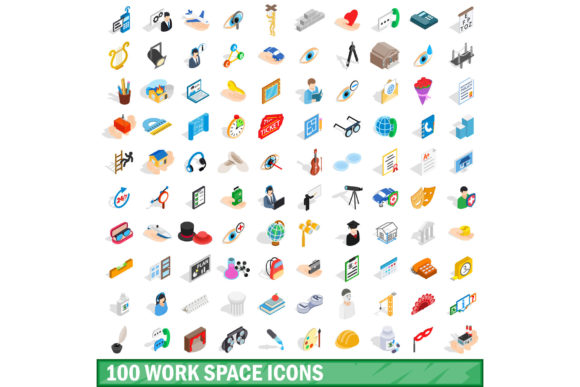
Evaluating the 100 Work Space Icons Set for Professional Projects
When building presentations, dashboards, internal tools, or client-facing websites, the visual language you choose carries weight. Icons are often the first detail users notice, and they can either clarify a message or introduce noise. The 100 Work Space Icons Set has emerged as a focused resource for professionals who need a cohesive library of workspace-related imagery. But like any asset, it fits some workflows better than others. This article examines what the set offers, how it compares to other approaches, and where it serves best — so you can decide whether it aligns with your project needs.
What the 100 Work Space Icons Set Provides
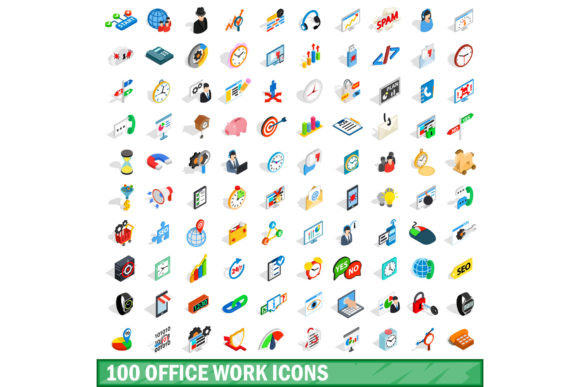
At its core, the 100 Work Space Icons Set is a curated collection of vector icons centered on workplace themes. The icons typically cover meeting rooms, office furniture, collaboration tools, remote work concepts, common tech devices, and workflow symbols. What makes the set distinct is its thematic coherence: every icon stays within the workspace ecosystem, so there is no need to mix sources from different collections that might vary in stroke weight, style, or visual tone.
Most versions of the set offer formats such as SVG, PNG, and sometimes web-font compatibility, making it straightforward to integrate into wireframes, slide decks, or software interfaces. The icons are usually designed with a consistent grid, line weight, and corner radius, which reduces the need for manual alignment or restyling. For a designer or team lead building an internal knowledge base or a meeting room booking system, this kind of consistency saves time that would otherwise be spent harmonizing disparate assets.
Another distinguishing feature is the breadth within a narrow domain. Instead of offering a general-purpose icon pack with a handful of workspace symbols, this set devotes all one hundred variations to the workspace context. That depth means you can represent nuanced spaces — think huddle rooms, hot-desking zones, focus booths, or video conferencing setups — without inventing symbols or stretching the meaning of a generic icon.
Comparing with Alternative Icon Strategies
Professionals evaluating the 100 Work Space Icons Set typically consider several alternative approaches. Understanding the tradeoffs between these options helps clarify when the set is a strong fit and when a different route might serve better.
General-Purpose Icon Libraries
Free or subscription-based icon libraries with thousands of symbols are widely used. They offer immense variety, but the workspace subset within them is often limited. You might find a desk icon, a chair icon, and a coffee cup, but representing a scrum board, a privacy booth, or a video wall may require improvising with unrelated symbols. The 100 Work Space Icons Set fills these specific gaps. On the other hand, if your project needs icons outside the workspace realm — say for a healthcare or travel application — a general-purpose library would be more practical, since the workspace set will not cover those categories.
Custom Icon Design
Hiring a designer to create custom icons gives you full control over style, color, and metaphor. This route works well for brands that demand a unique visual identity or have highly specific spatial concepts. However, custom design carries higher cost and longer timelines. For a small team preparing an internal tool or a mid-size company building a pitch deck, the 100 Work Space Icons Set offers a middle ground: professionally designed assets with workspace-specific coverage, available immediately. The tradeoff is that you forgo uniqueness — the same icons might appear in other organizations' materials.
Assembling from Multiple Free Sources
Some professionals patch together icons from free repositories, open-source sets, and screenshot captures. While this approach costs nothing upfront, the inconsistency in style, resolution, and file format often creates visual friction. Icons from different sources may have mismatched weights, inconsistent padding, or asymmetrical proportions. The 100 Work Space Icons Set eliminates that variability by delivering a single source with uniform design rules. If your audience frequently sees your materials — for instance in a recurring quarterly report or a client dashboard — visual consistency matters more than in a one-off internal memo.
Text-Only or Emoji-Based Labels
For very informal environments, some teams skip icons entirely and rely on text labels or emoji. This approach is fast but limited in clarity and professionalism, especially at scale. Emoji lack the precision needed for meeting room signage, floor plans, or toolbars. The 100 Work Space Icons Set provides a step up in clarity without requiring a full visual overhaul of your system. It works well as a bridge between a text-heavy interface and a fully branded design.
Strengths and Tradeoffs to Weigh
Every asset choice involves balancing gains with limitations. Here are the key factors to consider with the 100 Work Space Icons Set.
Consistency Across the Collection
The strongest advantage is visual harmony. Because all icons follow the same design language, they work together in layouts without requiring manual adjustments. This is especially valuable in environments where icons are displayed side by side — a navigation sidebar, a legend on a floor plan, or a step-by-step guide. Inconsistent icon styles can confuse users or make a system feel unfinished. The 100 Work Space Icons Set avoids that pitfall entirely within its domain.
Depth in a Narrow Domain
The dedicated focus on workspace themes means you get symbols for concepts that general sets either omit or treat superficially. Examples include collaborative whiteboards, occupancy sensors, cable management stations, sit-stand desks, and visitor check-in points. If your project involves describing or navigating a modern office environment, this depth is a clear benefit. However, if your scope extends beyond the workspace — for instance, a campus map that also includes gym facilities and outdoor areas — you will need supplemental assets from other sources.
Ready-to-Use Formats
Most distributions of the set include multiple file formats, which reduces friction during handoff between teams. Designers can work with SVGs for scalability, developers can use well-structured files for integration, and non-technical stakeholders can place PNGs directly into documents. This versatility makes the set useful across different stages of a project, from early wireframing to final production.
Limitations in Brand Differentiation
A tradeoff worth noting is that the set is not custom to your brand. If your organization relies heavily on a distinct visual style — such as rounded vs. sharp corners, a specific color palette, or illustrated characters — the preset style of the icons may not align seamlessly. You can adjust colors if the files are well structured, but altering the base shapes requires more advanced editing. Teams that prioritize brand uniqueness may need to treat the set as a foundation and invest time in modifications, or choose a custom design route instead.
Coverage Gaps at the Edges
One hundred icons is a substantial number, but it cannot cover every possible workspace concept. Very industry-specific terms — for example, laboratory workstations, broadcasting booths, or industrial control rooms — may not be included. Professionals working in niche environments should review the set's included icons before committing. Many vendors publish a full icon list or preview, which allows you to assess coverage against your specific use cases.
Best-Fit Use Cases for the 100 Work Space Icons Set
Certain scenarios naturally align with the strengths of this icon collection. Recognizing these patterns can help you decide if it is the right choice for your current project.
Internal Office Applications and Dashboards
Tools used within an organization — such as desk booking systems, room reservation interfaces, cafeteria menus, and wayfinding screens — benefit from consistent, recognizable icons. Employees navigate these interfaces daily, so clarity and familiarity matter. The 100 Work Space Icons Set covers the majority of symbols needed for such internal tools, and using a unified set prevents the disjointed feel that arises from mixing assets.
Presentations and Training Materials
When building slide decks about workplace design, remote work policies, or office relocations, thematic icons help audiences quickly grasp concepts. A slide explaining "quiet zones" paired with a dedicated icon reads faster than one relying solely on text. The set provides ready-made visuals that keep your presentation cohesive without requiring custom illustration work for every slide.
Digital Signage and Floor Plans
Wayfinding systems in corporate buildings, co-working spaces, and conference centers rely on icons that are immediately interpretable. The set's workspace focus means it includes symbols for restrooms, elevators, meeting rooms, phone booths, and kitchen areas. Using a dedicated set for these symbols ensures that a visitor sees the same visual language on every screen and sign.
Software Prototypes and MVPs
Early-stage products and minimum viable products often skip detailed design to save time. Yet even a simple interface benefits from icons that guide the user. The 100 Work Space Icons Set lets you add professional-looking visuals to prototypes without a design sprint. If the product later moves to a custom visual system, the icons can serve as placeholders during development.
When You May Need a Different Solution
No single icon set suits every project. Recognizing the situations where the 100 Work Space Icons Set falls short will help you avoid forcing it into the wrong context.
If your project spans multiple domains — for instance, a corporate campus app that covers parking, fitness, childcare, and learning centers — you will need icons from beyond the workspace category. In that case, a broader icon system or a set of carefully curated multi-category packs would provide better coverage. Mixing the workspace set with other collections can work, but you will need to invest time in aligning styles.
Similarly, if your brand guidelines demand a highly distinctive visual language — think illustrated characters, isometric views, or a proprietary icon system — a pre-made set may feel generic. Organizations with mature design systems often generate custom iconography to maintain brand consistency across all touchpoints. The 100 Work Space Icons Set can still inspire early concepts, but the final assets would likely be built from scratch.
Another scenario is when you require icons that convey dynamic states or interactive functions, such as loading animations, hover responses, or toggles. Most icon sets, including this one, provide static symbols. For interactive components, you would supplement the set with animation libraries or custom-built SVG animations.
Finally, if your budget is extremely constrained and you only need a handful of icons, free alternatives may suffice. Paying for a full set of one hundred icons makes sense when you plan to use a significant portion of them across multiple projects. For a single presentation that uses five workspace symbols, a free icon source or even a simple drawing tool might be more efficient.
Decision Factors to Guide Your Choice
To decide whether the 100 Work Space Icons Set fits your needs, consider the following questions.
- Scope of icon needs: Do the icons you require fall primarily within workspace and office themes? If yes, the set likely covers a large portion of your list. If your needs spread across multiple domains, evaluate whether supplementing from other sources is acceptable.
- Importance of visual consistency: How critical is it that every icon in your project shares the same stroke weight, corner radius, and proportion? If consistency is a high priority and you lack the resources to harmonize mixed sets, a unified collection like this one offers a clear advantage.
- Timeline and budget: Do you need icons immediately without a design budget? The set provides a lower-cost, faster alternative to custom design. If both time and budget allow, custom work might be preferable for brand-differentiated projects.
- Frequency of use: Will you use the icons across multiple deliverables over several months or years? A set with broad coverage becomes more valuable the more often you return to it. For one-off projects, smaller free collections may be sufficient.
- Format requirements: Confirm that the available file formats match your workflow. Most sets include SVG and PNG, but if you need specific constraints such as retina-ready resolution, monochrome variants, or font-based delivery, verify compatibility before purchasing.
By weighing these factors against your project context, you can determine whether the 100 Work Space Icons Set is a practical addition to your toolkit or whether an alternative approach better serves your goals. The set occupies a useful middle ground between generic free icons and expensive custom design, offering depth and consistency for workspace-focused work without requiring major time investment. For many professionals building internal tools, presentations, or office signage, that balance makes it a resource worth considering.