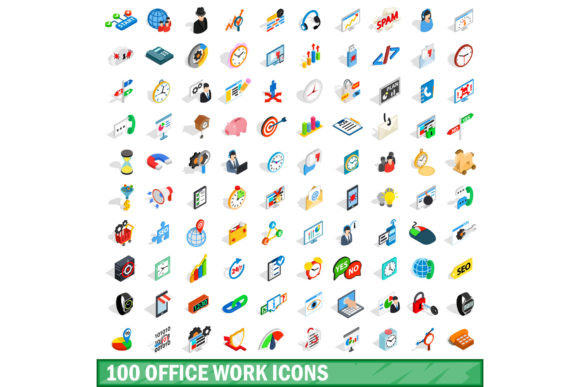
100 Office Work Icons Set: Choosing the Right Visual Toolkit for Your Projects
Every presentation, website, or document can benefit from clear visual cues. A dedicated set like the 100 Office Work Icons Set promises exactly that—a collection of symbols for meetings, reports, scheduling, communication, and everyday office tasks. But picking the right icon set isn’t as straightforward as clicking “download.” Many people end up with icons that clash with their brand, lack key concepts, or cause more confusion than clarity. Understanding what to look for before you commit can save you hours of rework and ensure your visuals genuinely support your message.
What Is a 100 Office Work Icons Set — And Why It Might Not Fit Right Away
At its core, this type of icon set is a curated library of vector or raster graphics representing common workplace activities and objects: a desk lamp, a handshake, a calendar, a user profile, a file folder, and so on. The appeal is obvious—100 ready-made icons can speed up design projects, eliminate the need to create graphics from scratch, and bring a unified look to your materials. However, the set’s usefulness depends entirely on how well it matches your specific needs. Many buyers assume that because a set contains “office” icons, it will cover everything from brainstorming sessions to remote collaboration. That assumption often leads to disappointment.
1. Overlooking Visual Consistency
One of the biggest pitfalls is ignoring how icons relate to each other visually. A set might combine thick outlines with thin ones, sharp corners with rounded, or mixed perspectives. When you place these next to each other on a slide or webpage, the inconsistency becomes glaring. It weakens your professional image and distracts the viewer. Always examine the full preview before purchasing. Look for uniform stroke width, similar complexity, and a consistent style (line, filled, or monoline). For example, a set where all icons use a 2px rounded stroke and a 45‑degree corner radius will look cohesive in a presentation footer or a mobile app navigation bar. If the preview shows mismatched styles, move on.
2. Ignoring Format and Scalability
Many free icon collections come as PNGs at a fixed resolution. That works for a single use, but the moment you need to enlarge the icon for a poster or shrink it for a mobile button, you lose quality. The 100 Office Work Icons Set is most valuable when it includes scalable vector formats like SVG, EPS, or AI. With vectors, you can resize infinitely, change colors without pixelation, and edit individual elements. Before downloading, check the file formats listed. If only low‑resolution PNGs are offered, you may end up with blurry edges or a forced redesign later.
3. Assuming the Set Covers All Your Needs
Office work covers an enormous range of tasks: filing, team meetings, video calls, brainstorming, goal setting, expense tracking, and security protocols. A generic 100‑icon set might include a dozen common items (coffee cup, printer, pen) but miss critical ones like “remote work,” “project milestone,” or “feedback.” This gap forces you to supplement with other icons, breaking the visual uniformity. List your top 20–30 icons before you search. Then compare that list against the set’s preview. If the set lacks something central to your project—for instance, a “video conference” icon for a collaboration guide—look for a more comprehensive or customizable option.
4. Failing to Check Licensing Terms
Licensing might seem like a boring legal detail, but it has real consequences. Some icon sets are free for personal use only; others require attribution or a paid license for commercial projects. If you use an icon in a client presentation, a marketing email, or a product interface without proper rights, you risk a cease‑and‑desist or takedown notice. Always read the license agreement on the download page. Look specifically for terms like “royalty‑free,” “commercial use allowed,” and “modification permitted.” A set that costs a few dollars but includes an unrestricted commercial license is often a safer investment than a free set with vague permissions.
5. Neglecting Customization Options
Even a perfect set of 100 icons may need small tweaks—changing a color to match your brand palette, resizing a component, or combining two icons to create a new concept. If the set only offers flattened PNGs or locked vectors, you lose that flexibility. Prefer sets that provide editable source files (like .ai or .eps with layers) or well‑structured SVGs that you can open in a vector editor. For example, a small business owner creating an on‑boarding PDF might want to change the skin tone of a user icon or rotate a pointing hand. Without the source file, that simple adjustment becomes impossible.
6. Focusing Only on Quantity, Not Quality
One hundred icons sounds like plenty, but a set packed with filler icons—like eight different coffee mugs or five variations of a desk—inflates the count without adding real value. Meanwhile, essential concepts such as “deadline,” “status update,” or “approval” may be missing. Evaluate the set by relevance, not by number. Look at the index or preview image. A good set will have a balanced distribution across categories: communication, organization, tasks, tools, people, and spaces. If more than 20% of the icons seem redundant or unrelated to your work, consider a different set that prioritizes usefulness over volume.
7. Downloading from Unreliable Sources
Free icon packs from obscure websites can contain hidden malware, outdated formats, or stolen assets. The financial cost might be zero, but the risk to your computer or your brand’s reputation is real. Stick to established marketplaces (like Freepik, Iconscout, or Flaticon) or the official site of a known designer. Even when a set looks perfect, do a quick search for user reviews or social media mentions. A set with thousands of positive ratings and active support is far safer than one with no feedback at all.
Practical Steps Before You Commit
Before clicking “buy” or “download,” take these five actions to ensure the 100 Office Work Icons Set will serve you well:
- Preview every icon. Many sellers show only a selection. Request a full grid or find a site that lists all symbols. This confirms the set includes the icons you actually need.
- Test scalability. If the set offers SVG, open a few in a browser or editor. Enlarge them to 200% and check for jagged edges or missing details. Vectors should remain crisp.
- Check color flexibility. See if the icons are monochrome, multicolor, or layered. Multicolor sets can be beautiful but harder to recolor. For most office applications, a monoline set that accepts any fill color works best.
- Read usage examples. Look at how other customers have used the icons in presentations, dashboards, or infographics. This gives you a realistic idea of how they look in context.
- Verify the license for your exact use case. If you plan to resell templates or use the icons in a mobile app, ensure the license explicitly covers those scenarios.
How the Right Icon Set Improves Your Work
When you avoid the common mistakes above, the right 100‑icon collection becomes a silent productivity booster. Your presentations look more professional because every visual element speaks the same visual language. Your website loads faster because well‑optimized SVGs replace heavy images. Your team understands concepts faster because icons act as universal shorthand. A carefully chosen set also saves money—you stop buying multiple partially‑useful packs and stick with one that meets 90% of your needs. Over time, that consistency builds a recognizable visual identity across all your materials, from internal memos to client proposals.
A Better Approach to Incorporating Icons
Think of icons as punctuation in a sentence: they add clarity, but too many can clutter the message. Use icons intentionally. For example, in a step‑by‑step guide, place a small icon next to each heading to signal the topic. In a dashboard, use icons for quick navigation categories. Avoid placing an icon next to every bullet point—readers will quickly become overloaded. Also, consider accessibility: ensure icons have alt text or labels for screen readers, and maintain high contrast against backgrounds. A set with simple, clear silhouettes (like those in a good office work set) works much better for accessibility than highly detailed, decorative alternatives.
What to Do If You’ve Already Bought a Set That Doesn’t Work
If you’re reading this after purchasing a set that feels off, don’t despair. First, check if the set has any companion packs or updates. Some designers release “expansion” sets that add missing icons in the same style. If not, you can mix the icons from your set with a few from another set—as long as you stick to a monochrome palette and adjust stroke widths to match. For critical gaps, consider commissioning a custom icon from the original designer. Many creators offer that service at a reasonable fee, especially if you already own their main set.
Ultimately, the value of a 100 Office Work Icons Set comes not from the count but from how thoughtfully it fits into your workflow. By looking beyond the headline number and evaluating consistency, format, scope, licensing, and customization, you ensure that every icon you place earns its spot. Your projects will look cleaner, your brand will feel more cohesive, and your audience will absorb your message with fewer distractions. That’s the real win.