Why the 100 Painful Icons Set is a Game-Changer for UX Design and Visual Storytelling
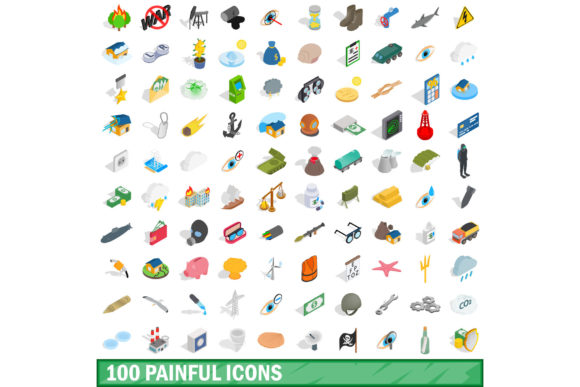
Icons are the unsung heroes of digital interfaces. They guide users, convey meaning at a glance, and compress complex ideas into a tiny square of pixels. But most icon sets play it safe. They stick to smiley faces, thumbs up, and generic symbols. What happens when your project requires a more honest, visceral, or even uncomfortable visual language? That is exactly where the 100 Painful Icons Set steps in. This collection challenges the conventional notion that icons must always be pleasant or neutral. Instead, it leans into the raw, the awkward, and the genuinely uncomfortable — offering designers a tool that feels less like clip art and more like visual storytelling with teeth.
What Exactly Makes an Icon “Painful”?
Before diving into applications, it is worth understanding the design philosophy behind this set. The 100 Painful Icons Set does not just depict physical pain. It covers a spectrum of discomfort — emotional, social, digital, and even existential. Think of a paper cut magnified to dramatic proportions, the awkward silence after a failed joke, a phone battery at one percent, or the moment you realize you have sent a message to the wrong group chat. Each icon is crafted with a clear, recognizable silhouette that communicates distress, inconvenience, or outright misery.
What sets these icons apart is their universal relatability. Pain is a shared human experience, and these symbols tap into that collective understanding. The set uses clean vector lines, expressive exaggeration, and a consistent visual weight that keeps the overall aesthetic cohesive despite the chaotic subject matter. Whether it is stubbing a toe or receiving a passive-aggressive email, every symbol feels deliberate and recognizable.
Why Designers Are Turning to Uncomfortable Iconography
For years, the design world has been dominated by what you might call hygienic iconography — polished, friendly, and safe. That approach works for many contexts, but it can also create a sterile, disconnected user experience. Users are savvy. They can tell when an interface is sugarcoating reality. By integrating the 100 Painful Icons Set into a project, designers introduce a layer of emotional honesty that builds trust and engagement.
Consider the rise of wellness apps, mental health platforms, and productivity tools. These spaces deal directly with struggle, failure, and frustration. A meditation app that only shows serene lotus flowers feels disconnected from the reality of a anxious user trying to calm down. But an icon of a brain tied in knots? That resonates. The 100 Painful Icons Set gives designers the vocabulary to say, “We understand that this is hard.” That acknowledgment is powerful.
Breaking the Monotony in UI Design
Another reason this set is gaining traction is visual variety. Most UI kits recycle the same symbols for settings, notifications, and user profiles. While functional, that repetition can make interfaces feel generic. Introducing unexpected iconography — especially icons that evoke an emotional response — breaks the monotony and creates memorable moments. A confirmation dialog that uses a mildly pained expression instead of a standard checkmark can make users pause, chuckle, and remember the interaction.
I have seen this approach used effectively in onboarding flows for project management tools. Instead of a generic “task completed” checkmark, the 100 Painful Icons Set offers a symbol of a person barely holding it together — which, for many remote workers, accurately describes finishing a Friday afternoon deadline. That kind of authenticity builds rapport between the product and its user.
Where the 100 Painful Icons Set Fits Into Modern Workflows
The practical applications of this set extend far beyond app interfaces. It is surprisingly versatile across industries and mediums. Below are some of the most common and effective use cases.
Error States and Empty States
Every designer dreads designing the error page. Yet, error states are inevitable. A standard 404 page with a broken robot feels tired. Using an icon from the 100 Painful Icons Set — like a person staring into the void or a document dissolving into dust — turns a frustrating moment into a shared, human experience. It signals empathy. Users are less likely to feel angry at the product when the product itself seems to be suffering alongside them.
Empty states are another prime candidate. Instead of a sad folder icon, imagine a small, weary figure sitting next to an empty inbox. It acknowledges the user’s disappointment while maintaining a light, relatable tone. That is a delicate balance, and this icon set handles it with surprising nuance.
Onboarding and Tutorial Flows
Teaching users how to use a complex tool is inherently stressful. There is always a moment of confusion or frustration. Using icons that depict common pain points — confusion, overload, misclick — can normalize those feelings during onboarding. The 100 Painful Icons Set can illustrate what a user might be feeling at each step, creating a guided emotional journey rather than a dry instructional sequence.
For example, a step that warns about accidentally deleting data could use an icon of a person with a sinking stomach. That visual cue communicates the gravity of the action without relying on heavy text. It is efficient, memorable, and emotionally intelligent.
Marketing and Campaign Visuals
Marketers constantly search for visuals that stop the scroll. In a sea of polished stock photography and generic illustrations, something raw and slightly uncomfortable stands out. Campaigns around security, privacy, health, or finance often need to convey risk or consequence. The 100 Painful Icons Set provides a library of visuals that immediately communicate stakes. A cybersecurity ad featuring an icon of a person sweating over an open laptop is far more arresting than a generic lock symbol.
I have also seen these icons used effectively in email newsletters. When a subject line promises a solution to a common pain point, the hero image showing that pain point — via one of these icons — creates instant resonance. It tells the reader, “Yes, we know exactly what you are going through.”
Qualities That Make This Set Stand Out
Not all icon sets are created equal. What separates the 100 Painful Icons Set from other thematic collections is its attention to craft and usability. Let us explore some of the defining characteristics.
Consistent Visual Language
Despite covering a wide emotional range, the icons maintain a uniform stroke weight, corner radius, and overall style. This consistency is critical when integrating them into an existing design system. You will not need to adjust line thickness or rebalance visual weights. They slot into most modern UI frameworks with minimal fuss.
Scalability and Format Support
The set is delivered in scalable vector formats — typically SVG and sometimes included as webfonts or individual PNG exports. This ensures crisp rendering from tiny notification badges all the way up to hero section illustrations. You will not lose detail or clarity regardless of where you place them.
Semantic Depth
Each icon in the 100 Painful Icons Set is more than just a shape. It carries semantic weight. The designer clearly considered multiple contexts for each symbol. A single icon might represent procrastination, exhaustion, or overwhelm depending on the surrounding copy. That versatility makes the set feel larger than its stated 100 icons — because each one can be reinterpreted across different use cases.
Factors to Consider Before Adopting the Set
While this icon set is remarkably useful, it is not a one-size-fits-all solution. Consider the following factors before integrating it into your project.
Brand Tone Alignment
If your brand voice is strictly professional, conservative, or focused on luxury, painful icons may clash with your identity. A bank or a legal firm, for example, might struggle to justify using an icon of someone crying over a spreadsheet. Evaluate whether your audience expects a certain level of decorum. When in doubt, use the set sparingly — perhaps only in internal tools or specific error contexts.
Cultural Sensitivity
Discomfort is subjective. What reads as a lighthearted depiction of minor pain in one culture may feel tone-deaf or trivializing in another. If your product serves a global audience, test the icons with diverse user groups. The 100 Painful Icons Set is designed to be broadly relatable, but you know your users best. A little cultural vetting goes a long way.
Overuse and Fatigue
Using painful icons everywhere can desensitize users or create a persistently negative tone. Reserve them for moments where emotional resonance is most effective — errors, warnings, confirmations of difficult actions, or empty states. Balance them with neutral or positive iconography to avoid dragging down the overall mood of the interface.
Real-World Examples and Scenarios
Let me walk through a few scenarios where the 100 Painful Icons Set genuinely improves the user experience.
Scenario one: A habit-tracking app that helps users quit smoking. The app includes a “Relapse” log. Instead of a generic sad face, it uses an icon of a person holding their head in their hands. The user feels seen rather than judged. The icon validates the difficulty of the journey without moralizing.
Scenario two: A finance app that sends spending alerts. When a user exceeds their monthly budget, the notification includes an icon of a wallet on fire. It is dramatic, humorous, and memorable. Users are more likely to adjust their behavior because the visual sticks in their mind.
Scenario three: A collaborative document editor that shows real-time cursors. When two users edit the same line and a conflict arises, a small icon from the set — a person tangled in wires — appears briefly. It signals the conflict without opening a disruptive dialog box.
These examples demonstrate that the 100 Painful Icons Set is not about making users feel bad. It is about showing users that you understand their struggle. That distinction is crucial.
Final Thoughts on Adding Painful Icons to Your Toolkit
Design is ultimately about communication. The best tools are the ones that help you say exactly what you mean, even if what you mean is uncomfortable. The 100 Painful Icons Set fills a gap that has existed in icon libraries for years — the gap between sterile usability and genuine human experience. It gives designers permission to be honest, to acknowledge difficulty, and to create interfaces that feel less like polished machines and more like conversations with someone who gets it.
If you are working on a product that deals with stress, health, productivity, finances, or any area where users experience frustration, this set deserves a spot in your design system. Use it wisely, pair it with clear copy, and let the icons do the heavy lifting of emotional communication. You might be surprised at how much a well-placed painful icon can improve not just the look of your interface, but the way your users feel about using it.