Isometric Time Management Icons Set: A Practical Tool
Time management is a challenge that cuts across nearly every profession and lifestyle. Whether you are a freelancer juggling multiple clients, a small business owner planning quarterly goals, a marketer crafting a visual campaign, or a student trying to stay on top of deadlines, having visual cues for concepts like planning, prioritising, and tracking can make abstract ideas more concrete. That’s where a well-designed icon set steps in. The 100 Time Management Icons Set, Isometric offers a collection of ready-made illustrations that bring planning and productivity concepts to life with a modern three-dimensional perspective.
What Is an Isometric Icon Set for Time Management?
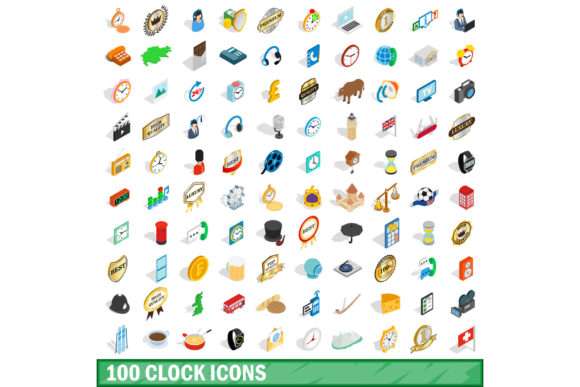
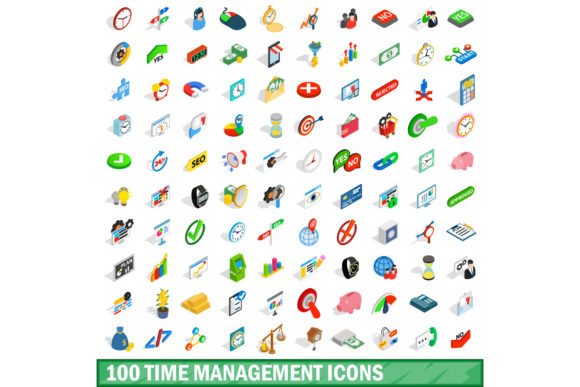
An isometric icon set consists of vector graphics drawn in a pseudo-3D style, where objects are tilted at 30-degree angles to simulate depth without requiring true vanishing points. This particular set groups 100 icons around time management themes: calendars, clocks, alarms, goal charts, task lists, progress bars, timers, and workflow symbols. Each icon is designed to be visually consistent, making them easy to mix and match across different projects. Because the set is isometric, illustrations pop off the page or screen more than flat icons, which can help grab attention in presentations, infographics, or UI designs.
For someone new to using icon libraries, this means you get a complete visual vocabulary for time management without needing to hire a designer or learn complex illustration software. For experienced creators, the set saves hours of manual drawing while providing a unified style that fits modern design trends. The icons are generally provided in multiple formats (SVG, PNG, AI, EPS), so they work across web, print, and mobile applications.
Why Different Audiences Care About This Icon Set
The value of a time management icon set depends largely on how you intend to use it. A blogger may want clear visuals to break up a dense article about productivity habits, while an educator might need icons to build a classroom poster about effective study schedules. An entrepreneur preparing a pitch deck for investors could use these symbols to illustrate key metrics like “time saved” or “efficiency gained.” Because the set covers 100 distinct concepts, most users will find relevant icons without having to search through hundreds of unrelated graphics.
For Creators and Content Marketers
If you produce regular content – blog posts, social media images, video thumbnails, or email newsletters – icon sets are a fast way to add visual variety. The isometric style stands out on social feeds where flat design is common. A marketer promoting a time management app could use the clock and checklist icons in a carousel post, or a freelancer creating a portfolio page might embed the “deadline” icon next to case studies. Because the set includes everything from a simple hourglass to a complex Gantt chart, you can build a consistent visual language across an entire campaign without manufacturing each graphic from scratch.
For Educators and Trainers
Teachers, workshop facilitators, and corporate trainers often need to explain abstract time management concepts. An isometric icon set allows you to create printed handouts, slides, and online course materials that feel professional and engaging. For example, an educator teaching a “Pomodoro Technique” workshop could pair the tomato timer icon with a step-by-step list. A business coach delivering a webinar on delegation might use the “assign task” icon and the “progress bar” icon side by side. The three-dimensional look helps learners visualise processes as tangible objects rather than vague ideas.
For Business Owners and Entrepreneurs
Running a business involves constant trade-offs between time and money. When you need to communicate efficiency improvements to stakeholders or employees, icons can simplify your message. A small business owner could insert the “calendar sync” icon into a new operation manual, or a startup founder might use the “goal” icon in a quarterly review presentation. The set is also useful for internal dashboards: if your team uses a custom project management board, isometric icons can replace boring labels with recognisable visuals that speed up scanning. For entrepreneurs on a tight budget, investing in a single icon set (often sold for a one-time fee) is more cost-effective than commissioning custom illustrations.
For Freelancers and Solopreneurs
Freelancers wear many hats – designer, writer, accountant, marketer. Time management icons can help you organise your own workflows in your portfolio or client proposals. If you’re a graphic designer showing off a brand identity project, adding a “timeline” icon to the case study header gives context. A freelance copywriter pitching a content calendar service could include a preview with “deadline” and “approval” icons from the set. Since the icons are consistent and modern, they elevate the perceived quality of your materials without requiring extra effort.
Priorities to Consider When Evaluating the Set
Not every icon set fits every project. Here are several factors that different users might weigh before purchasing or downloading the 100 Time Management Icons Set, Isometric.
- Ease of use: Beginners value drag-and-drop compatibility with common tools like PowerPoint, Canva, or Figma. The best sets include well-organised files with clear naming so you don’t waste time hunting for the right icon.
- Cost: One-time purchase versus subscription models matter to hobbyists and small businesses. Compare the price to the number of concepts you actually need. If you only use 20 out of 100, the per-icon cost may still be lower than paying a designer for five custom graphics.
- Quality and consistency: In an isometric set, all icons should share the same vanishing point, colour palette, and stroke weight. Inconsistent depth or line thickness can look unprofessional when icons appear together.
- File formats and scalability: Professionals need vector formats (SVG, AI, EPS) for resizing without pixelation. Consumers creating simple social media posts might prefer pre-sized PNGs. Good sets provide both.
- Speed of use: Anyone facing a tight deadline – a marketer before a product launch or a teacher before a semester – will appreciate a set that takes minutes to install and apply, not hours to customise.
- Reliability and licensing: Check whether the set permits commercial use, redistribution, or inclusion in templates. An entrepreneur reselling a presentation template must ensure the license covers that scenario.
Example 1: A beginner starting a blog about productivity
You write your first few posts on time blocking and morning routines. You have no design background. With the isometric icon set, you can open your blog platform’s text editor, upload an SVG icon of a calendar next to your headline, and wrap text around a PNG timer icon in the body. The consistent isometric style makes your blog look unified even if you change the colour background later. You avoid the hassle of learning Photoshop because the icons work directly in simple editors.
Example 2: An experienced UX designer building a team dashboard
Your team needs a visual indicator for each phase of the sprint cycle. You import the EPS file into Adobe Illustrator, tweak the colours to match the company brand, and then export as SVG components for a React interface. The isometric perspective adds a subtle depth that flat icons lack, making the dashboard feel more tactile. Because the set includes both micro-icons (like a five-minute timer) and larger concepts (like a project timeline), you reuse the same family across different view states without mixing styles.
Example 3: A small business owner creating a workshop workbook
You run monthly productivity workshops for your employees. For the next session, you design a three-page PDF workbook. Using the icon set, you place a “stopwatch” icon next to the exercise about meeting discipline, and a “chart upward” icon next to the section on tracking progress. The printed handouts look coherent and professional. Since you paid for a commercial license, you freely print copies for twenty staff members without worrying about copyright.
Does This Set Match Your Goals?
Before you commit to any icon package, ask yourself three questions. First, what specific time management concepts do you visualise most often? Scan the set’s preview list from the vendor. If it lacks icons for, say, “delegation” or “email batching,” you might need a supplementary set. Second, is the isometric style appropriate for your audience? In a highly formal corporate report, flat icons might be safer; in a modern app or creative portfolio, isometric adds energy. Third, how much customisation are you willing to do? Some sets come with editable vectors, others with only static PNGs. If you want to change colours or adjust angles, choose a vector-based set.
For most users – from the freelance illustrator to the corporate trainer – the 100 Time Management Icons Set, Isometric delivers a broad library that balances quality and affordability. The three-dimensional style is trending yet timeless enough to stay relevant over several years of projects. When you pair thoughtful icon selection with clear writing, your message about using time effectively becomes both clearer and more memorable.