How to Use an Abstract Landing Page Without Ruining Your Conversion Rates
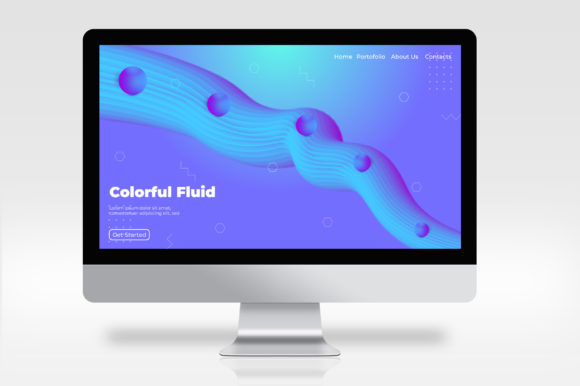
An abstract landing page uses unconventional visuals—gradients, geometric shapes, fluid forms, or surreal imagery—to grab attention and convey a modern, creative brand identity. When executed well, it can stop a visitor mid-scroll and spark curiosity. But there’s a catch: the same design choices that make a page memorable can also destroy its effectiveness if you overlook how people actually use and interpret a landing page. Many designers, entrepreneurs, and marketers jump into abstract aesthetics without considering readability, usability, or even basic conversion principles. The result? A visually stunning page that underperforms or, worse, drives potential customers away. Here’s how to avoid the most common pitfalls and make your abstract landing page work for your audience.
Mistaking Art for Clarity
The biggest mistake people make with an abstract landing page is prioritizing artistic expression over clear communication. Abstract elements—by their nature—don’t represent a direct object or action. That’s fine for a poster or art installation, but a landing page has a job: to inform, persuade, and prompt a specific action. If your headline is lost in a chaotic composition of shapes and colors, visitors won’t bother trying to figure out what you’re offering.
Realistic example: A startup selling a productivity app launches a landing page with a full-screen abstract animation of swirling lines and particle effects. The headline “Get More Done” is small and positioned near the bottom. Most users see a beautiful moving image, but they don’t immediately understand what the product does or how to try it. The page has a high bounce rate despite high traffic.
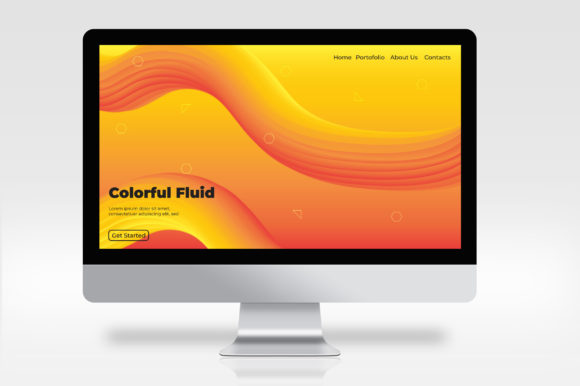
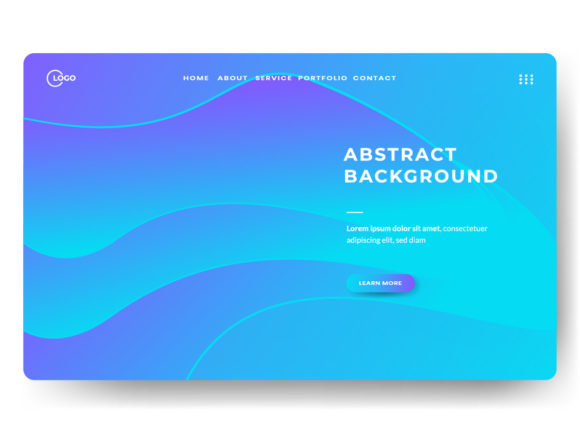
Better approach: Use abstract visuals as a supporting backdrop, not the main event. Place your core value proposition in a prominent position with strong contrast. For example, keep the background abstract but overlay a bold, legible headline and a clear call-to-action button. Let the abstract design enhance the mood without competing for attention with your message.
Overlooking Core Usability Principles
Abstract landing pages often violate basic usability guidelines. Navigation can be hidden, buttons can blend into the background, and text can sit on low-contrast areas. When a visitor can’t easily find what they need—whether it’s a “Buy Now” button or a link to a portfolio—they’ll leave.
Common missteps include:
- Poor contrast: Light text on a pastel abstract background that washes out readability.
- Unclear interactive cues: Abstract elements that look clickable but aren’t, or real buttons that don’t look like buttons.
- No visual hierarchy: Everything competes for attention because the abstract shapes have equal weight to the content.
Better approach: Always test your page with someone who hasn’t seen the design before. Ask them to find the main offer and the CTA within three seconds. If they can’t, simplify. Use high-contrast colors for text and buttons even if the overall palette is creative. Reserve your most abstract elements for areas that don’t carry functional information, such as hero backgrounds or decorative sections that don’t need immediate interaction.
Forgetting That Mobile Users Are the Majority
An abstract landing page that looks stunning on a desktop monitor can become a messy, cropped mess on a phone. Complex organic shapes, wide gradients, and fixed-position elements often break entirely on smaller screens. I’ve seen beautifully designed pages where the central abstract illustration disappears or overlaps with text in portrait orientation.
This mistake hurts mobile conversion rates severely—and for many industries, mobile traffic now exceeds desktop. Check your abstract design on at least three different screen sizes before launch. Use scalable vector graphics (SVGs) where possible, and avoid relying on absolute positioning. Test all interactive elements to ensure they’re tappable and not obstructed by abstract shapes. If your design looks confusing on a 6-inch screen, rethink the layout.
Prioritizing Aesthetics Over Load Speed
Abstract landing pages often rely on heavy graphical assets: full-screen videos, particle animations, layered CSS effects, or high-resolution images with intricate patterns. All of these can bloat page size and dramatically increase load time. Every second of delay reduces satisfaction and conversion rates. A beautiful page that loads in six seconds will perform worse than a plain page that loads in two.
What to do instead: Optimize every asset. Compress images and use next-gen formats like WebP. For animations, consider lightweight alternatives like CSS keyframes instead of heavy JavaScript libraries. Load non-critical visuals lazily so that above-the-fold content appears quickly. And always test your page on a simulated 3G connection—if it feels sluggish, strip away anything that isn’t essential to the user experience.
Letting Abstract Design Undermine Trust
Landing pages need to build trust, especially if you’re asking for an email address or a purchase. Abstract designs can feel artistic and edgy, but they can also come across as vague or even disorienting. If a visitor doesn’t immediately recognize your brand or understand what you do, they may perceive your offer as risky or unprofessional.
Example: An established financial consultancy used a landing page full of abstract shapes and muted colors. Existing clients felt the page was too impersonal, and new visitors couldn’t tell if the company was a design studio or a serious advisory firm.
Solution: Balance abstract elements with trust signals. Include your logo prominently, display customer testimonials, show real photos of your team or product, and make your contact information easy to find. Keep abstract design for the periphery—use it to express a vibe, not to replace core credibility cues.
Neglecting A/B Testing for Unconventional Designs
Because an abstract landing page is a departure from standard templates, you can’t assume it will perform well. Many creators fall in love with the look and launch without testing whether it actually converts better than a simpler design. I’ve run tests where a clean, traditional landing page outperformed an elaborately abstract version by 40%. The abstract page was more memorable, but the traditional page was clearer and easier to act on.
Practical advice: Run a split test between your abstract concept and a more conventional control page. Track not only click-through rates but also time on page, scrolling behavior, and conversion completions. If the abstract version doesn’t win on key metrics, don’t assume it’s a failure—look at where users drop off and adjust. Often, small tweaks like improving contrast or repositioning the headline can close the gap.
Choosing Abstract Style That Doesn’t Match Your Brand
Not every brand benefits from an abstract approach. A serious legal service or a medical device company might alienate their audience with playful, fluid shapes. Conversely, an NFT marketplace or a modern design agency can lean heavily into abstract visuals because their audience expects creativity. The mistake is picking an abstract style because it’s trendy without considering whether it aligns with your brand personality or your customer’s expectations.
Better approach: Before designing, list three adjectives that describe your brand: trustworthy, playful, innovative, minimal, bold, etc. Then choose abstract elements that reinforce those adjectives. If your brand is professional and secure, use clean geometric abstractions in muted tones. If your brand is energetic and youthful, go with bright, flowing shapes. Test the design with a small group of target users to see if they perceive the brand as you intend.
Final Checks Before You Publish Your Abstract Landing Page
Before you hit publish, run through this checklist to catch mistakes that hurt performance:
- Clarity test: Can someone in your target audience state what you offer within five seconds of landing on the page?
- Load speed: Are all files optimized? Does the page load in under three seconds on a typical connection?
- Mobile experience: Does the abstract design hold up on a phone without breaking layout or readability?
- Trust indicators: Are your logo, social proof, and contact details visible and near the main content?
- Conversion path: Is the primary CTA clearly distinguishable and placed where users naturally look?
- Brand alignment: Does the abstract style support your brand image or distract from it?
An abstract landing page can be a powerful way to differentiate your brand and engage visitors—but only when you prioritize their experience over visual novelty. Keep the message front and center, respect usability principles, and let the abstract design enhance rather than obscure your offer. That balance is what turns a beautiful idea into a page that actually works.