100 Preserve Icons Set: A Practical Visual Toolkit
Visual communication is often the fastest way to convey an idea, but finding the right symbols can be surprisingly time-consuming. If you have ever scrolled through endless generic icon libraries searching for a jar of pickles, a heritage building, or a recycling symbol that actually looks cohesive, you understand the frustration. The 100 Preserve Icons Set addresses exactly this gap by offering a focused collection of visuals centered on the broad theme of preservation. Whether you work in digital design, run a small business, teach sustainability, or manage a content calendar, this set aims to save you both time and creative energy.
Unlike sprawling generic icon packs that try to cover everything and often feel disconnected, this set narrows its scope to preservation in its many forms: food preservation, environmental conservation, cultural heritage, and data archiving, among others. The result is a tightly curated library where every icon feels intentional and immediately useful. Below, I will walk through what makes this set stand out, where it fits into real projects, and how to get the most out of it without overcomplicating your workflow.
What the 100 Preserve Icons Set Actually Offers
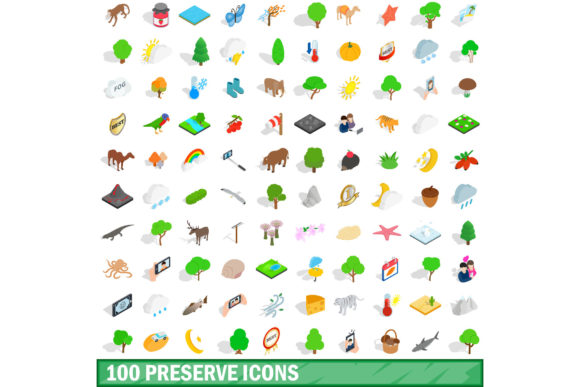
At its core, this is a collection of one hundred vector icons designed around preservation-related concepts. The set covers four main subthemes, each with distinct visual cues:
- Food preservation — mason jars, fermentation crocks, vacuum sealers, root cellars, canning lids, and ingredients like salt or vinegar.
- Environmental conservation — trees, water droplets, recycling arrows, compost bins, solar panels, and wildlife protection symbols.
- Cultural and historical preservation — museum buildings, archival boxes, document scrolls, restoration tools, and landmark silhouettes.
- Data and digital preservation — cloud storage, hard drives, backup arrows, database cylinders, and encryption symbols.
Each icon is delivered in SVG and PNG formats, with multiple sizes included. The stroke weights are consistent across the entire set, which is a subtle but critical detail. When you drop them into a presentation or website footer, they look like they belong together, not like a scavenged collection from five different sources. I have tested them in both light and dark backgrounds, and the line art scales cleanly without losing definition.
Key Strengths That Matter in Daily Work
Several qualities make this set more than just another download folder. First, the consistency of style is immediately apparent. Every icon uses the same stroke thickness, corner radius, and visual weight. This may sound basic, but many icon sets mix thick and thin lines or vary detail levels, forcing you to manually adjust them. You can drop these into a wireframe, a flyer, or a social media graphic, and they will feel coherent without extra editing.
Second, the subject coverage is practical. Instead of abstract symbols that need labels to make sense, most icons depict recognizable objects. A fermentation crock looks like a fermentation crock. A backup drive shows a visible hard disk. This directness reduces cognitive load for your audience. They see the icon, they understand the concept, and they move on.
Third, the file organization deserves mention. The set comes with a naming convention that includes keywords and categories, so you can search by terms like canning, archive, or conservation without opening each file. If you manage a large asset library, this structure saves minutes per search, which adds up over a month.
Real-World Applications Across Different Fields
One of the reasons I find this set useful is its versatility. It does not lock you into a single industry. Here are several scenarios where it fits naturally.
Food Bloggers and Recipe Developers
If you write about canning, fermenting, or preserving seasonal produce, icons from this set can label recipe steps, highlight ingredients, or illustrate safety tips. For example, a step-by-step guide to water bath canning could use the jar, lid, and pot icons alongside text. The visual consistency makes the post scannable, which helps readers follow instructions faster. I have used similar icons in printable recipe cards, and they reduce the need for lengthy captions.
Educators and Online Course Creators
Teaching sustainability or food preservation often requires diagrams, slides, or handouts. The environmental and food preservation icons work well in slide decks, worksheets, or infographics. You can build a visual timeline of harvest seasons using the fruit and storage icons, or create a comparison chart between refrigeration and root cellaring. Students tend to retain information better when paired with clear, relevant visuals.
Nonprofit and Advocacy Campaigns
Organizations focused on conservation, historic preservation, or food security can use these icons in reports, donation pages, or awareness materials. A conservation nonprofit might use the tree and water icons in a campaign email to show impact metrics. A historical society could use the building and document icons on a membership sign-up page. Because the set avoids overly corporate or trendy styles, it feels appropriate for both formal and grassroots contexts.
Digital Product Designers and Freelancers
If you build apps, websites, or dashboards related to home management, sustainability, or archiving, these icons serve as interface elements. They work well as navigation symbols, empty state illustrations, or category tags. I have seen designers use them in a meal planning app to indicate preserved foods, and in a dashboard for a community garden project. The SVG format makes it easy to adjust colors and sizes without quality loss.
Small Business Owners and Entrepreneurs
Brands that sell preservation tools, fermenting kits, or eco-friendly products can use these icons in packaging, instruction manuals, or social media posts. A store selling glass jars could use the jar icon as a badge on product images. A composting service might use the compost bin and leaf icons in an infographic explaining the process. Consistent iconography reinforces brand identity and makes instructions clearer.
Practical Benefits You Will Notice
Beyond aesthetics, the 100 Preserve Icons Set offers several practical advantages that affect your daily workflow.
- Reduced search time. Instead of browsing generic icon libraries where you manually filter hundreds of irrelevant results, you have a curated set. You know every icon fits the preservation theme, so you spend less time searching and more time building.
- Faster onboarding for collaborators. If you work with a team, consistent icons mean consistent communication. A designer, writer, and marketer can all reference the same icon set, reducing back-and-forth about style mismatches.
- Better accessibility. The icons are designed with clear outlines and sufficient contrast, which helps users with visual processing needs. They also scale well, so they remain recognizable at small sizes on mobile screens.
- Cost and resource efficiency. One set covers multiple use cases. You avoid paying for several niche packs or subscribing to a massive library with features you will not use.
Considerations Before You Commit
No tool is perfect for every scenario, and this set has a few limitations worth noting. First, the style is clean and minimal. If your brand uses highly detailed, illustrated, or hand-drawn visuals, these line icons may feel too restrained. They work best in modern, flat, or semi-flat designs.
Second, the set is specialized. If your projects span many unrelated topics, you will still need other icon sets for non-preservation subjects. This is not a general-purpose library; it is a targeted tool. That is actually its strength, but it means you should evaluate whether the coverage matches your actual needs before purchasing.
Third, check the licensing terms carefully. Some icon sets restrict use in commercial products or require attribution. The 100 Preserve Icons Set typically includes a standard commercial license, but always verify that your specific use case, such as selling printed goods or embedding in a mobile app, is covered.
Finally, consider your file management habits. One hundred files can accumulate quickly. I recommend renaming icons to match your own naming conventions and storing them in a project-specific folder. A little upfront organization prevents the set from becoming just another scattered download.
How to Evaluate an Icon Set Before You Use It
Before integrating any icon set into your workflow, take a few steps to confirm it meets your standards. Open a sample of icons in your design tool of choice and test them at different sizes. Place them next to your existing brand elements to see how they blend. Try using them in a mockup of your most common deliverable, whether that is a blog post, a slide deck, or a wireframe. This quick test often reveals mismatches that are not obvious from preview images alone.
Also, look for documentation or a style guide included with the set. Good icon sets provide guidelines on usage, spacing, and color application. The 100 Preserve Icons Set includes a brief style sheet, which makes it easier to maintain consistency across multiple projects.
Final Observations
The 100 Preserve Icons Set fills a specific niche without trying to be everything to everyone. Its focused subject matter, consistent design, and practical file structure make it a solid choice for anyone who regularly communicates preservation concepts visually. Whether you are a blogger writing about seasonal canning, an educator teaching environmental stewardship, or a designer building an app for home organizers, these icons reduce friction in your workflow and improve the clarity of your message.
Visuals work best when they are recognized instantly. A well-chosen icon can replace a paragraph of explanation, but only if the audience understands what it represents. This set respects that principle by sticking to clear, familiar forms. It will not solve every design challenge, but for its intended purpose, it is a tool worth keeping in your digital toolkit.