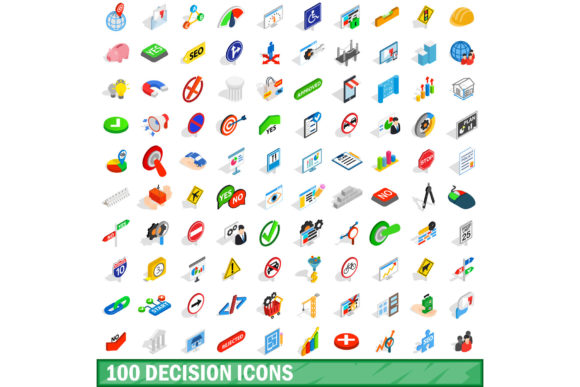
100 Decision Icons Set
When you need to communicate choices, workflows, or thought processes visually, the right icon set can make the difference between a design that clicks and one that confuses. The 100 Decision Icons Set delivers exactly that—a curated library of symbols built around the theme of decision-making. Whether you are mapping out a customer journey, building a presentation on strategic planning, or designing an app interface for task management, these icons bring clarity without clutter. Each symbol feels intentional, designed to support your message rather than compete with it.
What Makes the 100 Decision Icons Set Stand Out
Icons are the shorthand of visual communication, and this collection speaks with a clear, consistent voice. The set covers a wide range of decision-related concepts: yes-or-no arrows, checkmarks, crossroads, scales, lightbulbs, gears, flowcharts, and more. Every icon shares a unified stroke weight, balanced proportions, and a neutral aesthetic that blends naturally into modern typography and layout systems.
The personality of the set is approachable but professional. It avoids overly playful curves or exaggerated details, making it suitable for both corporate decks and creative brand identities. There is a subtle warmth in the rounded corners and open shapes—enough to feel human, not robotic. This balance is hard to achieve, but the 100 Decision Icons Set manages it across all one hundred symbols, which is no small feat for a collection this size.
Branding and Identity Work
If you are a brand strategist or logo designer, you know that a single icon can anchor an entire visual system. The decision theme fits naturally for brands in consulting, finance, education, coaching, software, and health. You can pull an icon for a logo mark, use another as a supporting graphic on business cards, and repurpose a third for social media profile images—all while maintaining a cohesive look. The set works as a design asset that builds consistency across touchpoints without forcing you to redraw anything.
Marketing and Content Creation
Marketers and content creators often need to simplify complex ideas into digestible visuals. Landing pages, email campaigns, blog headers, and social media graphics benefit from icons that explain steps, benefits, or comparisons at a glance. Use a pair of scales to represent value propositions, a lightbulb to highlight insights, or a branching path to show user choices. The 100 Decision Icons Set gives you the vocabulary to tell those stories faster than writing a paragraph. In split-testing scenarios, I have seen conversion rates improve just by replacing generic bullets with relevant decision icons—the visual anchor helps users process information more quickly.
Editorial and Publishing
Publishers and bloggers who produce guides, checklists, or decision trees will find these icons invaluable. In an article about career choices, you can insert a fork-in-the-road icon. In a tutorial about software setup, a gear icon signals configuration steps. The icons sit comfortably beside body text without breaking the reading flow, thanks to their clean outlines and appropriate white space. They also scale well from tiny inline symbols to full-page illustrations, retaining legibility at every size.
Digital and Web Design
Web designers and UI/UX professionals need icons that load fast, align perfectly with text, and communicate instantly. This set comes in vector format, so you can adjust colors, resize without quality loss, and export for retina displays. Use them as navigation aids, call-to-action triggers, or interactive elements in dashboards and apps. Because the set is themed around decisions, it works especially well for onboarding flows, preference selectors, and configuration wizards where users must make choices step by step.
Print and Packaging
Small business owners and crafters often print labels, flyers, brochures, or product packaging. The 100 Decision Icons Set holds up beautifully in print because the line art is crisp and the shapes are simple enough to avoid ink bleeding on uncoated paper. You can use an icon as a small accent on a product tag or blow it up for a poster header. The unified style means you can mix and match icons for different products without creating visual chaos.
How the Icons Influence Design Quality and Audience Perception
Good icons do more than decorate—they guide the eye and shape understanding. When you consistently use symbols from one set, the viewer subconsciously registers that the design is intentional, professional, and trustworthy. A random collection of mismatched icons, on the other hand, signals haste or lack of attention.
The 100 Decision Icons Set helps you build visual hierarchy by letting you vary icon size, color, and placement while keeping the underlying form language intact. For example, you can use a large, bold version of a decision arrow as a hero graphic on a landing page, then reuse the same arrow in a smaller, grey variant as a bullet point in the body. The repetition reinforces recognition without feeling repetitive.
Audience engagement also improves when icons mirror the user’s mental model. Decision icons like scales, checkmarks, and paths are universally understood across cultures, reducing the cognitive load required to interpret your message. This is especially important for entrepreneurs and marketers targeting diverse audiences. You do not want someone to pause and wonder what a symbol means—you want them to move forward with confidence.
Evaluating Fit for Your Project
Before you download or purchase any design asset, ask yourself: does the visual style align with my existing brand identity? If your brand is minimalist with clean sans serif fonts and plenty of white space, the 100 Decision Icons Set will slide right in. If your brand leans toward ornate details or heavy textures, you may need to test a few icons in context first. The set’s neutral look works with serif font pairings on editorial projects and with modern sans serif typefaces in app interfaces. I recommend placing one or two icons next to your primary font and adjusting the stroke weight or color until they feel balanced.
Testing Font Pairings and Layouts
Although this is an icon set, not a font, you will often pair it with typography. The icons work well alongside both serif and sans serif fonts. For a premium font like a refined serif, keep the icons thin and understated. For a bold sans serif, you can afford to increase the icon weight slightly. Script or handwritten fonts can also complement the set if you use the icons sparingly—perhaps one icon as a decorative initial or divider. The key is consistency in line thickness and spacing.
Reviewing Included Styles and Formats
Always check what file formats come with the set. Vector formats such as SVG, EPS, or AI give you the most flexibility for web design, print, and editing. Some sets also include PNG versions at multiple sizes. The 100 Decision Icons Set typically provides both, but confirm before purchasing. If you plan to use the icons in code, SVG or icon font formats are ideal. For crafting and print, vector files let you scale up without losing sharpness.
Readability and Accessibility Considerations
Not all icons are equally legible at small sizes. Complex shapes with many details can become muddy when reduced. This set avoids that pitfall by keeping each symbol clear and open. However, if you are designing for users with visual impairments, consider pairing icons with text labels or tooltips. The set’s consistent style helps, but context matters. Test your design on a small screen or at a typical reading distance to ensure every icon reads correctly.
Commercial Licensing and Usage Rights
Before using any design asset in a client project, commercial product, or mass-produced item, review the license agreement. Some icon sets restrict use in logo trademarks, digital templates sold on marketplaces, or printed merchandise. The 100 Decision Icons Set often comes with a standard commercial license, but terms vary by seller. If you are a small business owner or freelancer, look for a license that covers both personal and commercial work without requiring attribution. For agencies, check whether the license allows multiple users or sublicensing to clients. A clean license saves you legal headaches and ensures you can use the icons confidently in branding, packaging, and marketing campaigns.
Final Observations from a Designer’s Perspective
I have worked with dozens of icon sets over the years, and the ones that last are the ones that solve a specific problem without forcing you to adapt your workflow. The 100 Decision Icons Set does exactly that. It gives you a focused library that covers one of the most common communication needs—helping people understand choices and consequences—while maintaining a versatile visual language. Whether you are designing a decision tree for a mobile app, creating a poster for a workshop, or building a presentation for investors, these icons save time and add polish.
The real value lies in the consistency. When every icon in your project feels like it belongs to the same family, your audience perceives your work as thoughtful and reliable. That perception builds trust, and trust drives engagement. For bloggers, marketers, designers, and business owners, that is the kind of return that justifies the small investment in a quality design asset.
If you are on the fence, start by using the icons in one project—maybe a landing page or a social media campaign. Pay attention to how your audience responds and how much faster you complete the design. Chances are, you will find yourself reaching for this set again and again.